Approval workflows
Some agent outputs are reversible. A draft blog, a market research report, a creative brief. Others aren’t: a cold email already in someone’s inbox, an ad that just spent budget. 10ex separates those two classes through approval workflows. Any agent run that produces an irreversible artifact can require explicit human approval before the irreversible step happens.
The two-stage shape
Every approval-gated agent runs in two stages.
- Generate. The crew runs end-to-end and produces a candidate artifact, but stops before the side-effect.
- Send, publish, or spend. This happens only after a human clicks Approve (or an MCP
approve_*tool fires).
If a human clicks Reject, the run closes without the side-effect. The artifact is preserved in run history; nothing reaches the outside world.
Which agents gate by default
| Persona | Crew | Default gate | Why |
|---|---|---|---|
| Nova | email-sequence-generation | Required | Sending cold emails is irreversible and reflects on your sender domain |
| Orion | email-outreach-sender | Configurable per run | Single-shot sending; trusted senders may turn it off |
| Marcus/Blog | blog-generation | Required for publish | Draft is free; pushing to Webflow/Sanity gates |
| Zara / Ravi / Elena | *-ads-manager | Required | Live campaigns spend real money |
| Atlas | webinar-generator | Optional | Avatar video generation is reversible until the calendar invite goes out |
Agents whose output is purely informational (Sora, Juno, Maya, Marcus/Prospector) don’t gate. They just deliver.
How it shows up in the product
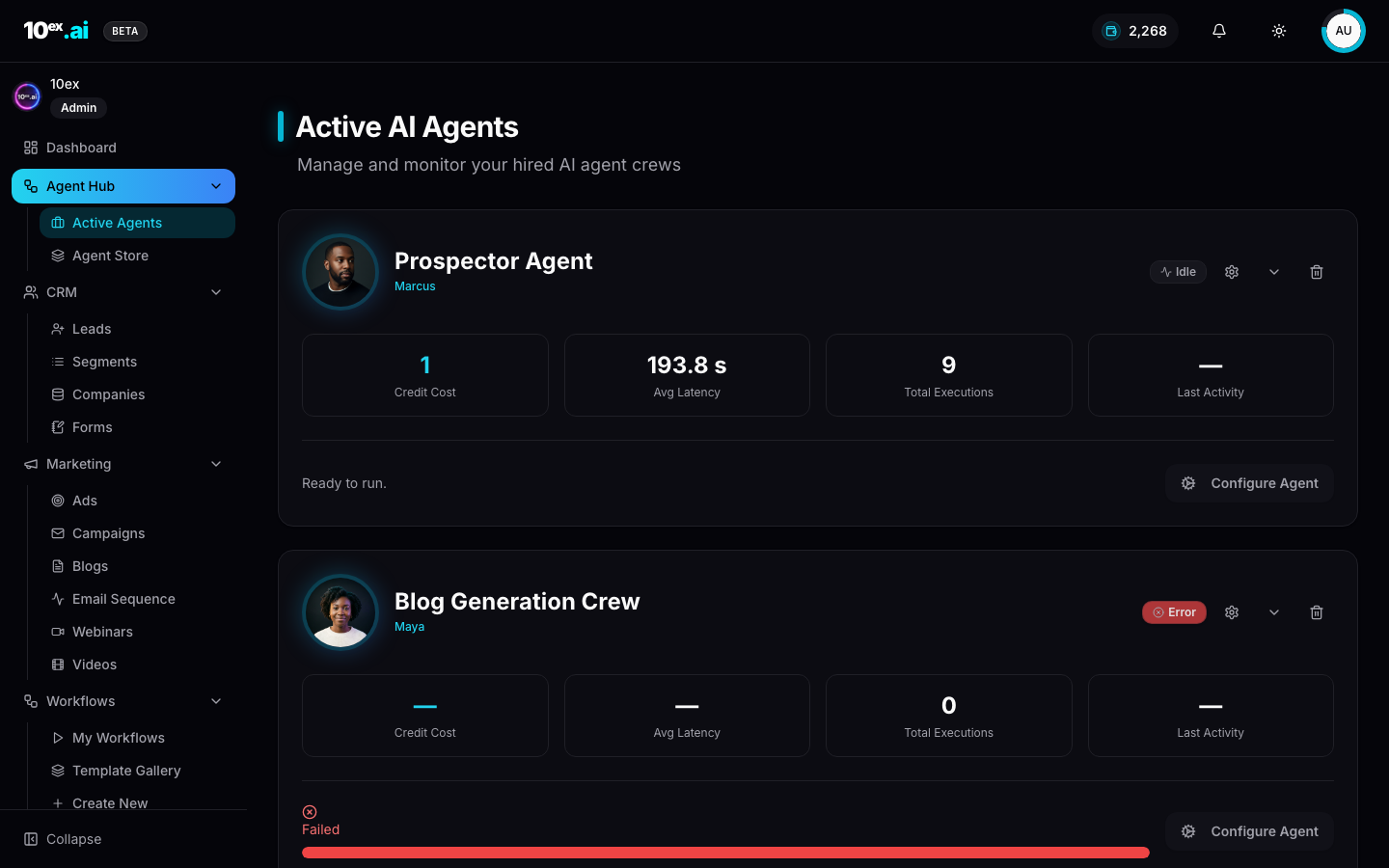
Active Agents (/agent-hub/active-agents) is the operational hub. Each tile shows status:
- Ready to run. No pending action.
- Approval Required. A yellow banner with Approve and Reject buttons appears below the tile.
- Failed. The run errored; the tile shows the failure reason.
When a tile is in Approval Required, the Configure Agent button is replaced with the inline approve/reject pair. Clicking Approve continues the original run with the side-effect step. Clicking Reject closes it.
How it shows up over MCP
The same gate is exposed as paired tools. Every gated agent has a preview_* and an approve_*.
preview_email_sequence({ segment_id, brand_id, objective: "book a demo", sender_connector_id, num_emails: 3 }) // returns { preview_id, recipients, sample_emails: [...] }
approve_email_sequence({ preview_id }) // only this call actually starts sending
launch_email_sequence({ ..., approval_required: false }) // shorthand to skip the gate when you trust the input, e.g. an internal nurture against your own list
The pattern repeats: generate_blog then publish_blog, generate_ad_copy then launch_ad_campaign, generate_webinar then calendar invite.
Why approvals matter
The asymmetry is the whole point. A bad draft costs you a minute of reading. A bad send costs you a domain-reputation hit, an unsubscribe wave, or a six-figure ad spend on the wrong creative. Approvals trade a few seconds of friction for a kill switch on the actions that can actually hurt you.
A common misunderstanding: teams disable approvals to “speed things up,” then ship a typo to 10,000 prospects. The fix is rarely faster automation. It’s a cheaper preview and a clearer review surface, which is what the gate gives you.
Audit trail
Every approve or reject action writes a row to the mcp_tool_call audit table (for MCP-driven approvals) or the equivalent in-app audit log (for UI clicks). Each row stores:
- Who approved (
user_id) or what (api_keyprefix) - When (timestamp)
- Which run (
preview_id/sequence_id) - The approved payload’s hash, so a reviewer can prove the exact artifact that was approved is what shipped
This makes approval workflows the natural fit for compliance regimes: GDPR for outbound, ad-platform policy review, Webflow editorial sign-off.
Designing for the gate
Two practical rules.
- Preview should be cheap. Cost gates produce friction; if previewing burns 10 credits, people skip the preview. 10ex’s pricing reflects this. Preview is free for Nova, and the per-email meter starts on send.
- Approve should be batched. When you approve a 50-recipient sequence, you approve the plan, not 50 individual emails. The reviewer sees a sample (typically 3 emails) and the sequence cadence; the rest is generated against the same template.
Bypassing the gate
Some teams operate “fast lane” by sending against pre-vetted templates against owned lists. Two ways to bypass:
- At hire time. Uncheck Approval Required in the agent’s Configure panel.
- At run time. Pass
approval_required: falsein the MCPlaunch_*call.
Both bypass options write a clear audit entry, so a reviewer can spot lanes that have been disabled.
Common questions
Who can approve? Any workspace member can approve UI-side. MCP approvals are scoped to the API key’s role. There’s no separate “approver” role today; that’s tracked as tech debt.
What happens if I forget to approve? The run sits idle. There’s no auto-expire in v1. Reject explicitly to clean up.
Can I approve from Slack or email? Not in v1. Approvals are UI or MCP only. Slack triggers are on the roadmap.
Related
- Cast: named agents: which personas gate
- Email Sequence Generation: canonical preview/approve example
- MCP reference:
preview_*/approve_*tool catalog