Ads playbooks
Channel: ads. Five personas split the work:
| Persona | Crew | Use |
|---|---|---|
| Maya | ads-strategy-lab | Cross-platform plan, ICP, targeting, campaign structure |
| Luna | ad-copy-generator | Headlines + primary text, all platforms |
| Dante | creative-studio | Visual concepts and ad images |
| Zara | google-ads-manager | Google: Search, Display, Video, PMax, Discovery, App, Local |
| Ravi | linkedin-ads-manager | LinkedIn: Sponsored Content, Message, Dynamic, Text |
| Elena | meta-ads-manager | Meta: Awareness, Traffic, Engagement, Leads, Sales, App |
Who runs this: growth marketers, demand-gen leads, and agency operators with at least one ads account connected. You’ll get the most out of this channel if you’ve already built segments in the CRM.
The motions
- Audiences from lead lists. Push a Segment to Google, LinkedIn, or Meta as a custom audience. Ravi handles the LinkedIn API; Zara and Elena do the same on their platforms.
- Retargeting from CRM events. Audience driven by behavioral signals (form fill, page visit, churn risk). Defined in Workflows where the trigger is a CRM event.
- Creative variants. Luna generates platform-specific copy from a single brief, Dante generates the matching visuals. A/B testing happens in-platform.
- Strategy lab. Maya runs a multi-platform plan with budgets and KPIs before any ad ships. Use for new product launches and quarterly planning.
Recommended order
Don’t go straight to Zara. The right sequence is Maya → Luna → Dante → Zara/Ravi/Elena.
- Maya plans the structure (ICP, targeting, awareness stage, campaigns).
- Luna writes copy variants per ad group.
- Dante designs the matching visuals.
- Zara, Ravi, or Elena push the campaign live on their platform.
Skipping Maya produces ads that work tactically but don’t fit the broader plan. Skipping Luna and Dante means the ads manager has no creatives to push.
What it looks like at the end: a multi-platform plan with 3 to 6 ad groups per platform, copy variants ready, visuals queued, and a single approval screen that launches everything once you press go.
Approval gating
Live campaigns spend money. Zara, Ravi, and Elena gate by default. You preview the campaign structure (ad groups, budgets, audiences, creatives) and approve before the launch button does anything. See Approval workflows.
Required connectors
| Persona | Required connectors |
|---|---|
| Zara | Google Ads (one or more accounts) |
| Ravi | LinkedIn Ads |
| Elena | Meta Ads |
| Maya | None (planning agent). Reads from connected ads accounts if available. |
| Luna, Dante | None |
Common pitfalls
- Launching without Maya. You’ll have ads, but no thesis. Spend goes up, learning doesn’t.
- One creative per ad group. Luna and Dante exist to ship variants. Two headlines and two visuals per ad group is the minimum to learn anything.
- Ignoring approval previews. The preview screen is where targeting mistakes get caught. Read it like you’re spending your own money.
Common questions
Can I run all three platforms from one Maya plan? Yes. Maya outputs a per-platform structure. Hand off to Zara, Ravi, and Elena in parallel.
Do I need separate creatives per platform? Luna and Dante adapt copy and visuals per platform automatically (LinkedIn gets professional tone, Meta gets thumbstop visuals, Google gets keyword-aligned headlines).
How do CRM audiences sync to the ad platforms? A Segment becomes a custom audience via the platform’s audience API. Refresh cadence is hourly by default; configurable per Segment.
MCP equivalents
generate_ad_copy({ brand_id, offering: "X", platforms: ["linkedin", "meta", "google"] })
launch_ad_campaign({ platform: "linkedin", segment_id, brand_id, daily_budget_usd: 50, objective: "lead_generation" })
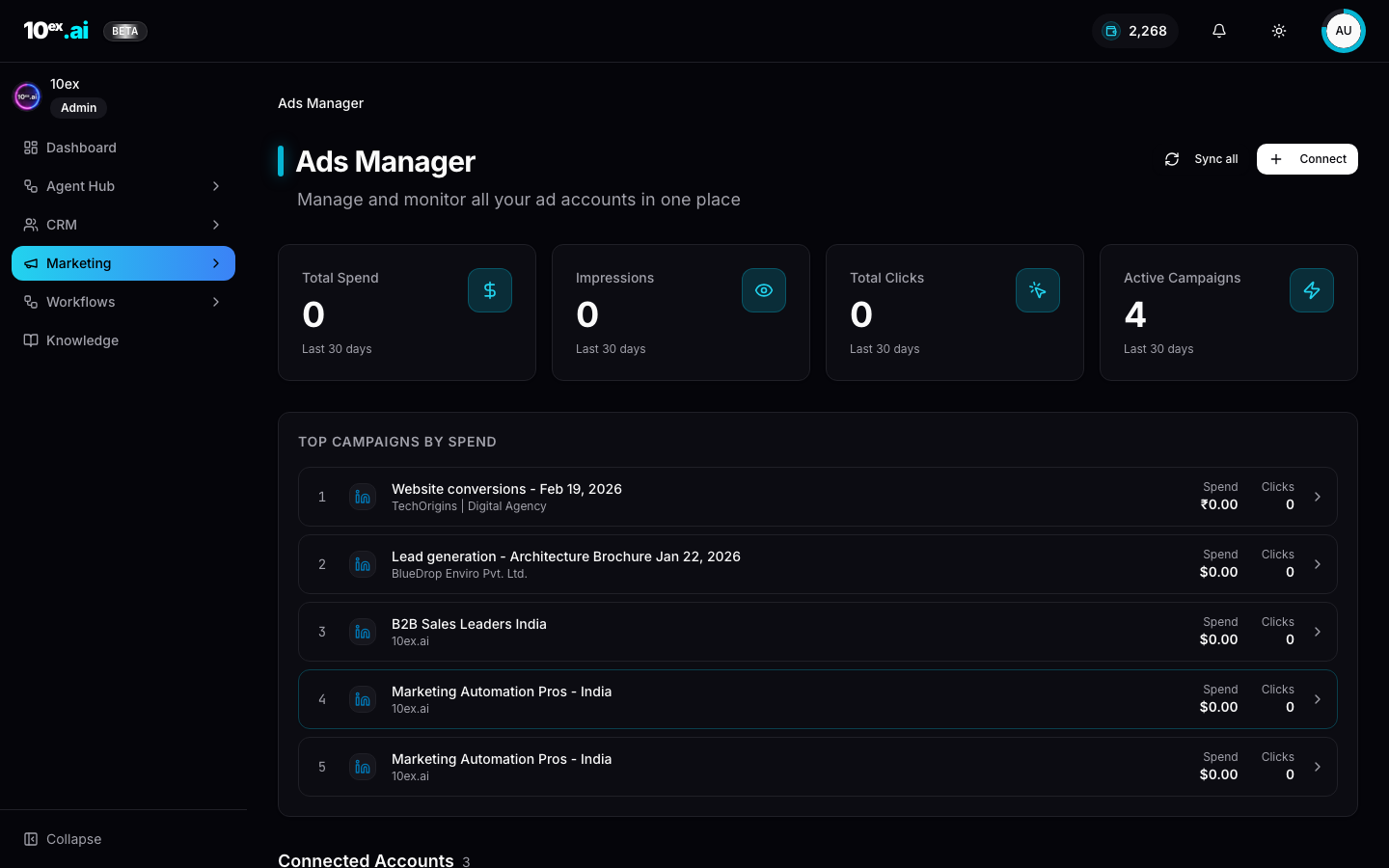
get_ad_campaign_metrics({ campaign_id }) // spend, impressions, clicks, leads
Related
- Brand knowledge, ICP: what Maya reads.
- Forms, external sync ads forms: capture lead-form submissions.
- Cast, named agents: full ads-team roster.