Unified Chat
10ex Chat at /chat is the conversational front door to every persona. Instead of opening Marcus’s Configure panel and filling fields, you can say “Marcus, write a blog about X” and the agent’s intake sub-agent runs the conversation needed to get to a complete brief.
How a chat session works
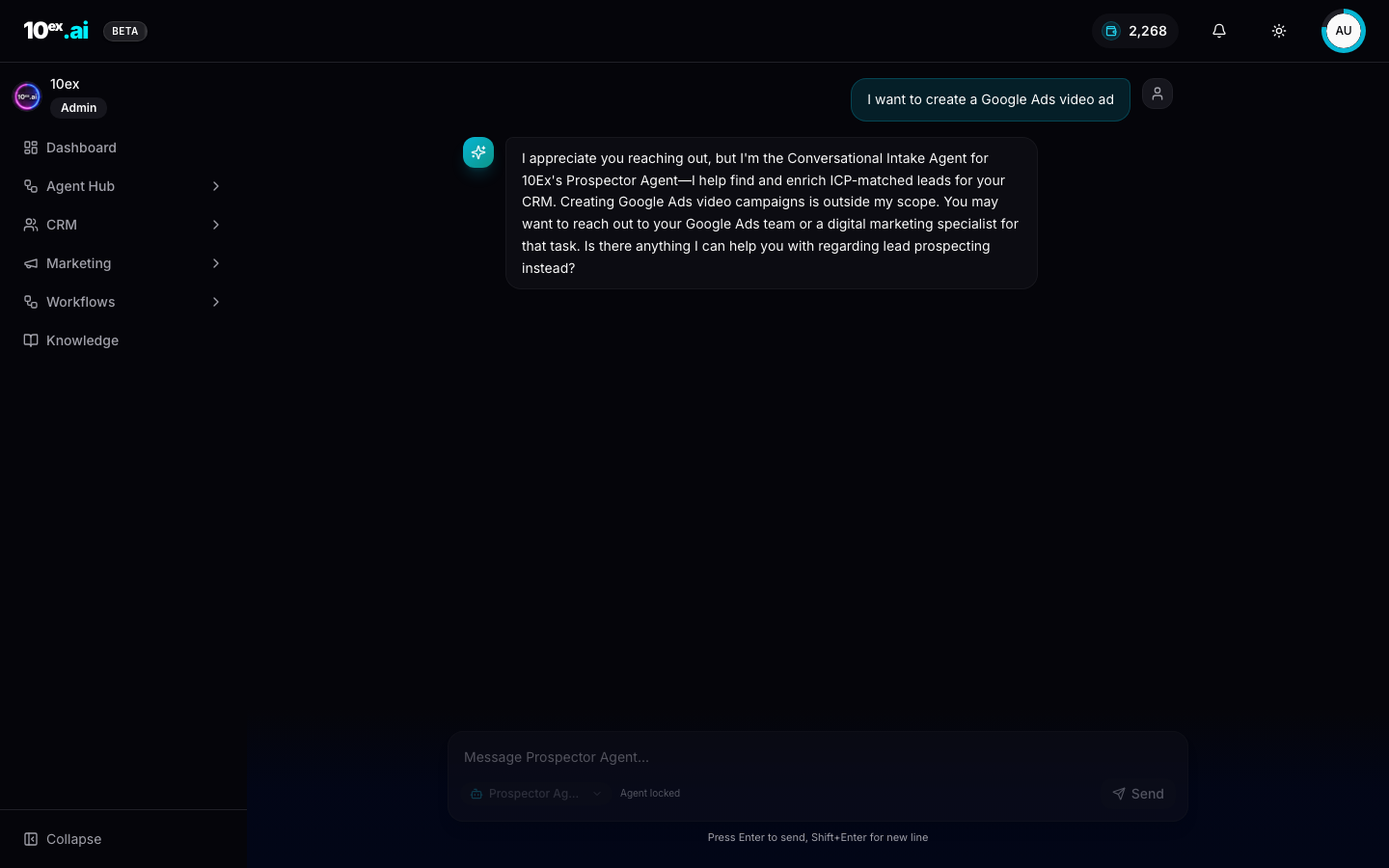
Each chat session is locked to one agent. The textarea is labelled Message <Agent name>..., and the agent picker at the bottom right disables once the session has any history. This is by design. Every agent has its own intake protocol, and mixing them mid-conversation produces incoherent state.
When you message a chat, the Conversational Intake Agent for that persona handles the back-and-forth. It scopes itself to that agent’s domain. The Prospector Agent’s intake won’t help you create a Google Ads video. It will tell you it’s out of scope and suggest the right team.
Conversational Intake Agent is a thin chat layer in front of every persona’s crew. It enforces scope, structures the conversation, and produces the same structured input the Configure panel would collect, but via dialogue.
When Chat is the right entry point
Three good reasons to start in Chat instead of the agent’s Configure panel:
- Loose intent. When you know roughly what you want but the structured form has a dozen fields you’re not sure how to set. Chat will ask only the questions that matter for your request.
- Multi-turn discovery. Picking an ICP, narrowing a topic, choosing between two ads platforms. These are conversations, not forms.
- Routed workflows. Some flows now route through Chat. Clicking Create Video under Marketing → Videos opens a Chat session pre-loaded with the message “I want to create a Google Ads video ad.” Chat takes intake from there, then triggers the right downstream agent.
When the structured form is better
- Repeat workflows. If you launch the same Email Sequence shape weekly, the form is faster. Same inputs every time.
- Templated runs. Workflows with a saved input schema run faster from the API than from chat.
- High-volume. Chat is interactive. For batch operations, MCP or API beat it.
How to lock and unlock a session
When a session locks to an agent, the agent picker shows Agent locked and grays out. To switch agents, start a new chat from the chat home at /chat. The picker is enabled again at the start of every fresh session.
Messages are persisted per session. Old conversations are accessible from the chat history list.
What Chat can’t do
Chat is for intake, not for arbitrary conversation. The Conversational Intake Agent is constrained to its persona’s domain and won’t:
- Answer general questions about 10ex (use docs search for that)
- Run multiple agents in one session
- Approve agent runs. Approval is a deliberate UI action, never a chat affordance (see Approval workflows).
Routing patterns
Several product surfaces now route into Chat instead of opening a structured editor:
| Source | Lands in Chat with |
|---|---|
| Marketing → Videos → Create Video | Pre-filled message: “I want to create a Google Ads video ad” |
| Agent Store → Hire (some agents) | Pre-filled greeting from the persona |
| Launchpad → recommended step | Pre-filled message: “Let’s run step 5: Program Agent Playbooks” |
This is a deliberate IA choice for surfaces where intake is genuinely conversational. A video brief is hard to encode in a form.
MCP equivalents
There is no chat MCP tool. Conversational intake is a UI affordance. Agents driving 10ex via MCP build their own intake, or skip it entirely with structured launch_* calls.
Common questions
Can I rename a chat session? Yes, from the history list. The first user message is used as the title until you set one.
What happens to a chat if I close the tab mid-conversation? It’s saved. Open chat history and the session resumes with full context.
Why can’t I add a teammate to a chat session? Chat is single-user in v1. Multi-user collaboration on a brief is on the roadmap.
Related
- Cast: named agents: every persona accessible via Chat
- Approval workflows: why approval doesn’t happen in Chat