Workflows
Workflows are the orchestration layer above agents. An agent runs end-to-end on its own. A workflow chains multiple steps (agents, HTTP calls, custom code, conditionals) into a graph that runs on a trigger.
Three product surfaces:
| Surface | Route | Purpose |
|---|---|---|
| My Workflows | /flows/list | What’s running and recent runs |
| Template Gallery | /flows/templates | Vetted templates ready to install |
| Create New | /flows/create | Author a custom flow |
For the runtime model and trigger types, see Concepts → Flows.
My Workflows
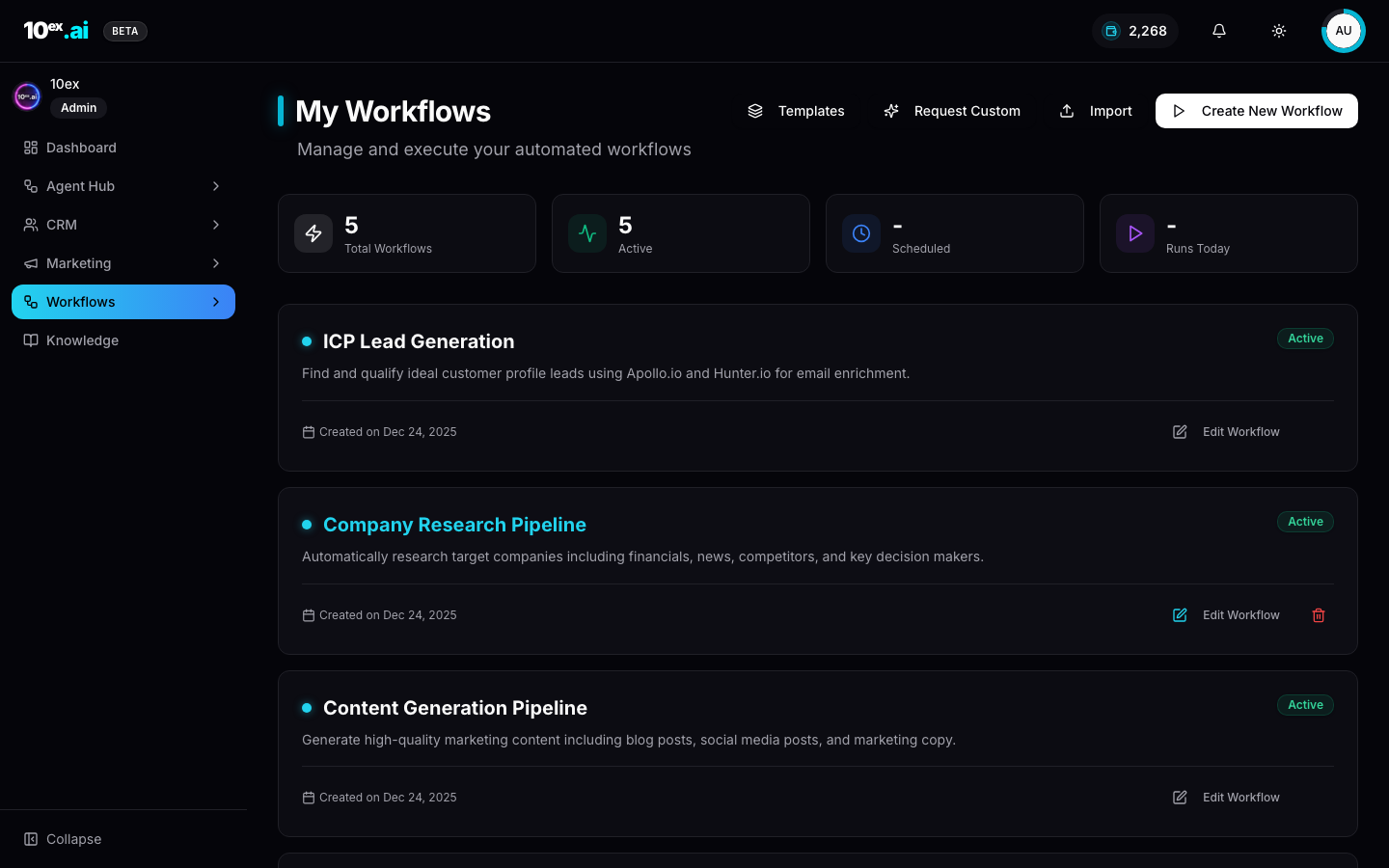
Counters at the top (Total Workflows, Active, Scheduled, Runs Today) give a workspace-level read at a glance. The tile list below shows each workflow with name, description, status, created date, and an Edit Workflow button.
Top-of-page actions: Templates, Request Custom, Import, Create New Workflow.
Template Gallery
Templates are pre-built workflows you can install with one click. They’re versioned, vetted internally, and parameterised. Installing copies the graph into your workspace and prompts for inputs (which segment, which connector, and so on).
The gallery is empty in fresh workspaces. As 10ex publishes templates they appear here. Search and filter by category.
How to create a new workflow
Authoring a workflow is a 2-step start, then a visual canvas.
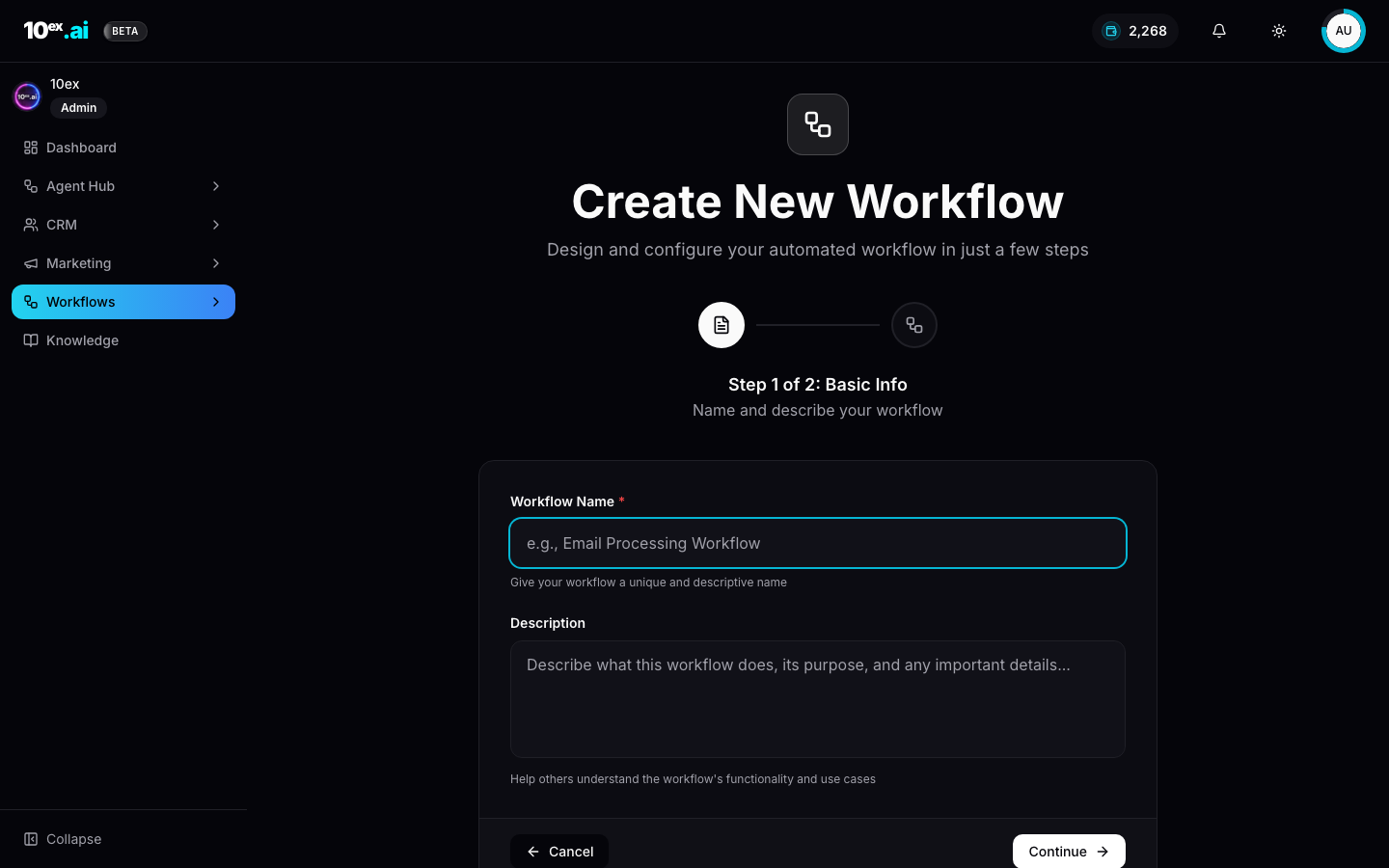
Step 1. Name and describe
Fill Workflow Name and Description. The description shows up in the My Workflows tile and is how you’ll find it later.
Step 2. Define input fields
Inputs are the parameters a run takes, the same way an agent’s Configure panel exposes inputs. Define typed fields here so your workflow can be triggered with structured data (segment id, target market, budget, and so on).
The canvas
Once created, you land in the visual builder.
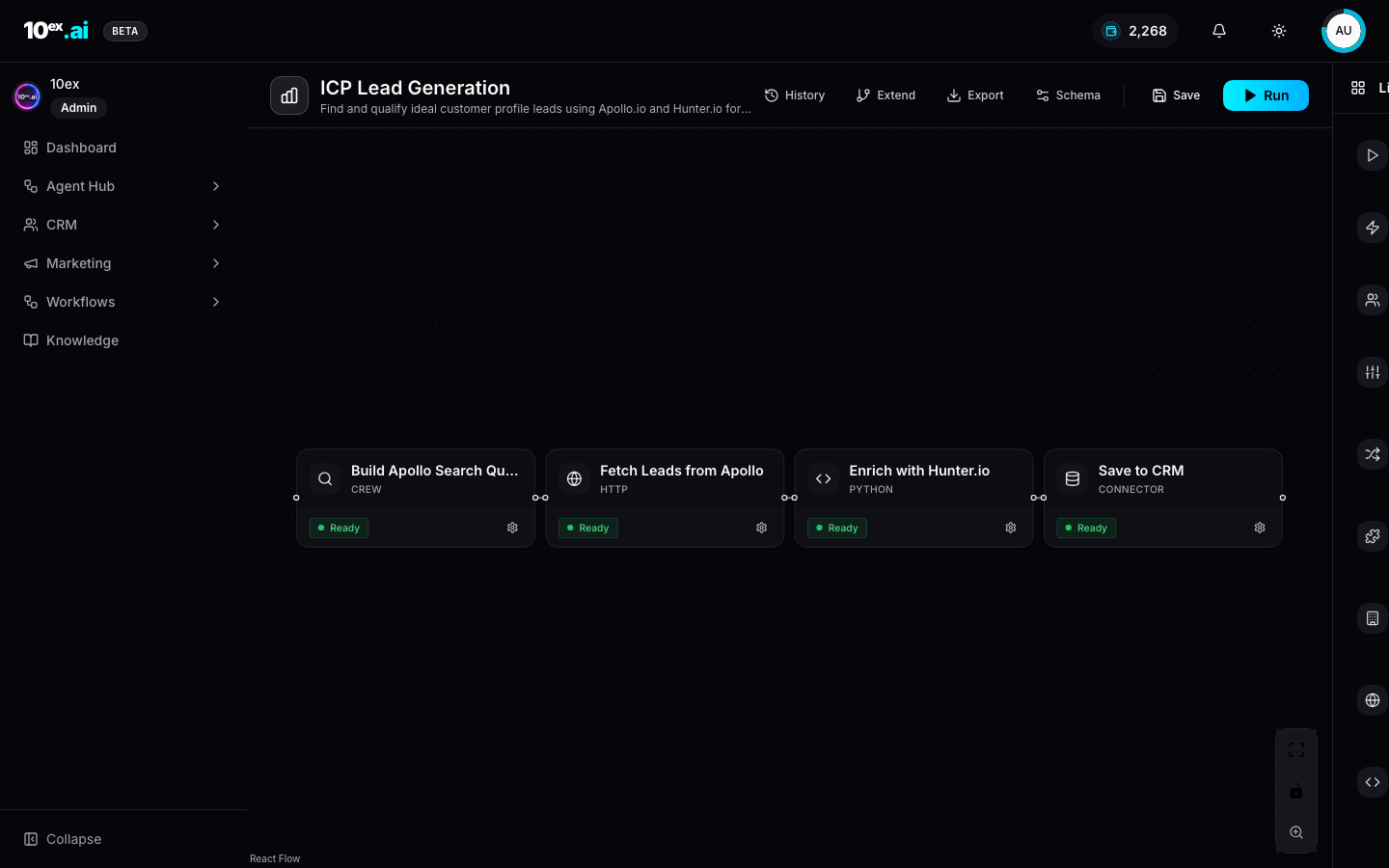
Top-bar actions:
- History: past runs of this workflow with status and inputs.
- Extend: add steps after the last node.
- Export: download the workflow as JSON.
- Schema: edit the inputs and outputs definition.
- Save: persist edits.
- Run: manual run with the current inputs.
The right pane is the Library. Drag a node onto the canvas to add it.
The 9 node categories
The Library groups available nodes:
| Category | Count | What’s inside |
|---|---|---|
| Triggers | 2 | manual_trigger (UI or API run), cron_trigger (scheduled) |
| Internal Actions | 3 | Built-in 10ex actions: segment ops, lead ops, knowledge writes |
| AI Crews | 9 | Every persona that can be embedded as a step (Marcus, Nova, Sora, Maya, Juno, Atlas, Iris, Marcus/Prospector, Kai) |
| Flow Control | 7 | Branch, switch, loop, parallel, wait, end, error-handler |
| Data Transform | 3 | Map, filter, aggregate |
| External App Steps | 2 apps | Slack post, Google Sheet write. More apps land alongside connectors. |
| CRM Connectors | 5 | HubSpot push and pull, Salesforce push and pull, 10ex CRM write |
| HTTP Requests | 1 | Generic outbound HTTP call |
| Custom Code | 1 | Inline Python (sandboxed) |
A real workflow mixes types. ICP Lead Generation above is CREW → HTTP → PYTHON → CONNECTOR. Marcus/Prospector builds a search query, Apollo fetches leads, custom Python enriches with Hunter.io, and the CRM connector saves results.
Triggers
Two trigger types:
- manual_trigger: runs on-demand (button click, API call, MCP tool).
- cron_trigger: runs on a cron schedule.
A workflow can have multiple triggers. One cron plus one manual is a common pattern: run nightly, but also let a human kick it off.
Run history
Click the History button on the builder, or click into a tile from My Workflows. Each run stores:
- Trigger source (manual or cron)
- Inputs payload
- Status per node
- Output payload
- Total credits spent (if any AI Crew nodes ran)
- Total wall time
Failed runs show the failing node highlighted. Click in to see the error and re-run with adjusted inputs.
When to build a workflow vs hire a single agent
Pick the right primitive:
- Hire an agent when one persona (with its sub-agents) covers the motion end-to-end. Most use cases.
- Build a workflow when you need conditional branching, multiple agents in series, custom data transforms, or scheduled execution. Examples: nightly lead enrichment, multi-segment ad creative variants, lead-routing rules, post-webinar follow-up automation.
Workflows are heavier but composable. Agents are lighter but opinionated.
MCP equivalents
list_workflow_templates() // available templates from the gallery
create_workflow_from_template({ template_id, params })
trigger_workflow({ workflow_id, inputs })
Common questions
Can I share a workflow with another workspace? Use Export to download JSON, then Import in the target workspace. Connector references rebind on import.
What happens if a node fails halfway through? The run stops at the failing node. Add a Flow Control error-handler upstream to catch and route around it.
Can I version a workflow? Edits create a new version automatically. Run history is tied to the version that ran, so you can always trace a result back to the exact graph that produced it.
Related
- Flows: the runtime model
- Cast: named agents: what every AI Crew node references