Build, launch, and scale GTM with AI agents
10ex is an AI marketing and lead-gen platform. Build lead lists. Launch coordinated email, ads, blog, and webinar campaigns. Hire a roster of named AI agents to do the work. Drive any of it from your own code, or from an AI agent over MCP.
New here? Start in the right place.
Docs are organized by what you’re trying to do, not by feature. Pick the section that matches your moment.
Documentation by mode
Tutorials
First-time, end-to-end walkthroughs. Start with Quickstart.
How-to guides
Recipes for specific tasks across the product sidebar.
Reference
REST API, webhooks, MCP tools, error codes.
Concepts
How the platform thinks: cast, brand knowledge, Launchpad, approvals.
Use cases
Playbooks by GTM channel: email, ads, blogs, webinars, integrations.
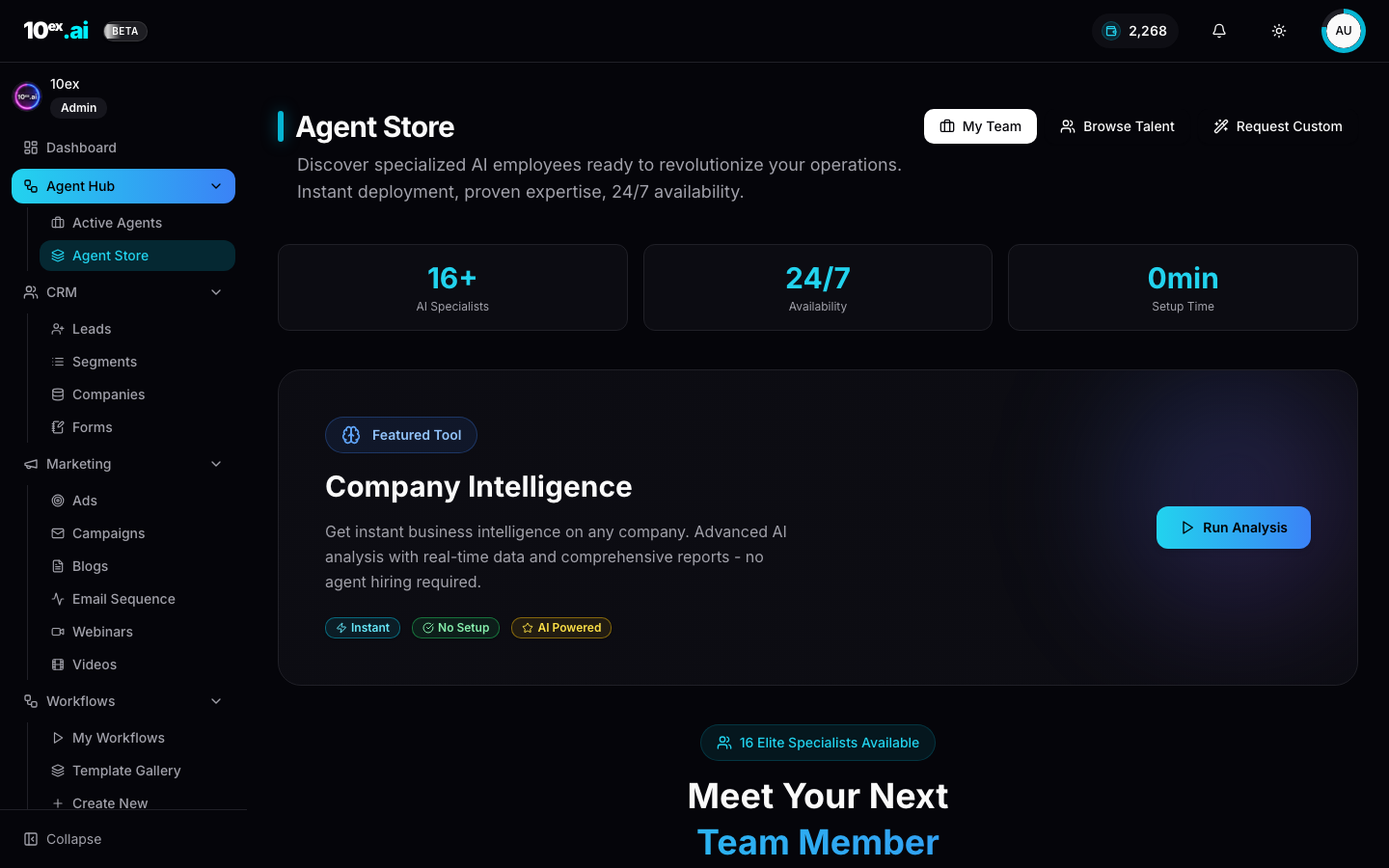
Agent Store
Every seed agent by name: Marcus, Nova, Maya, Atlas, Kai, and the rest.
API & MCP
Drive 10ex from code, or from Claude and Cursor over MCP.
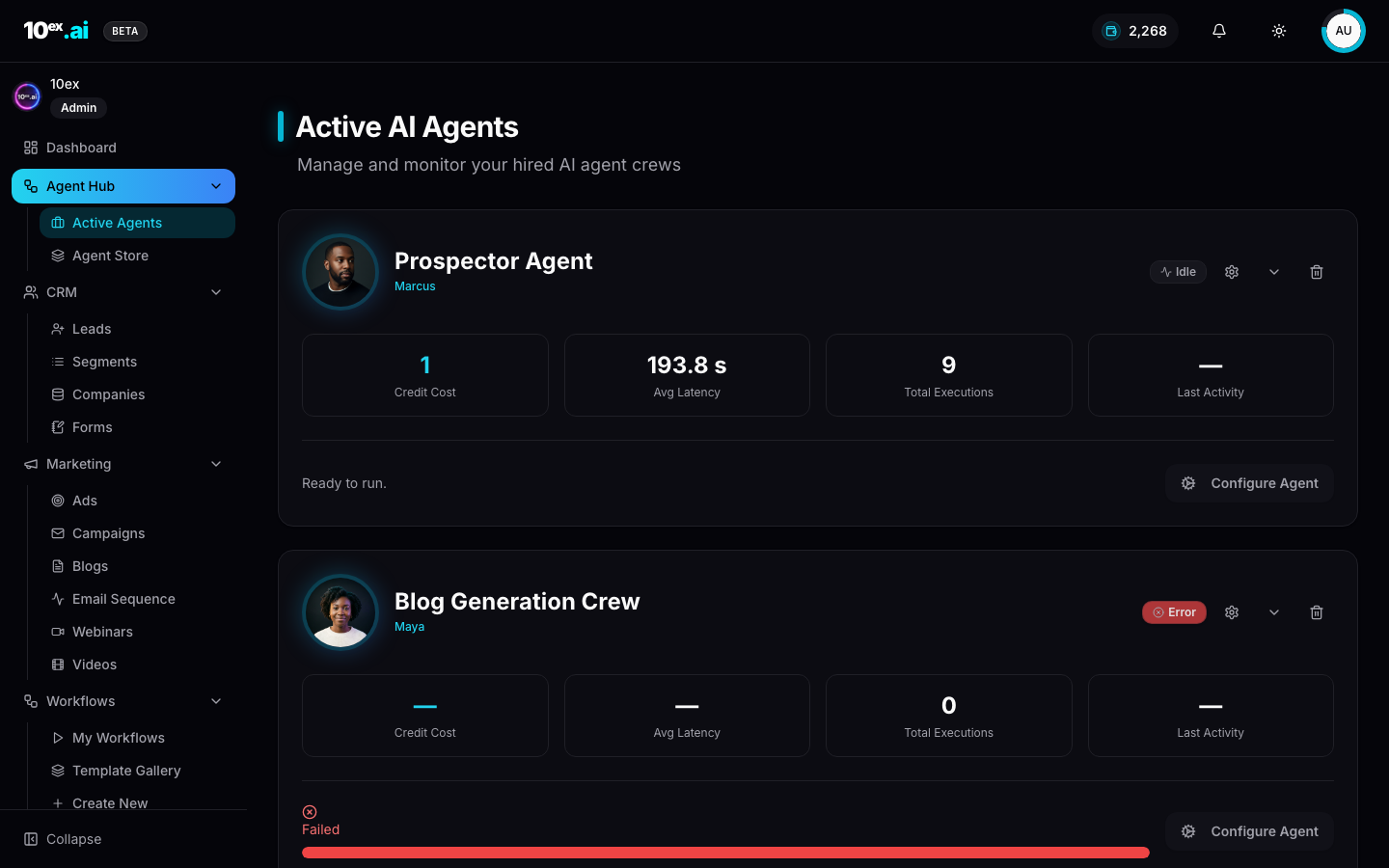
Meet the cast
16 named AI specialists, by level and credit cost.
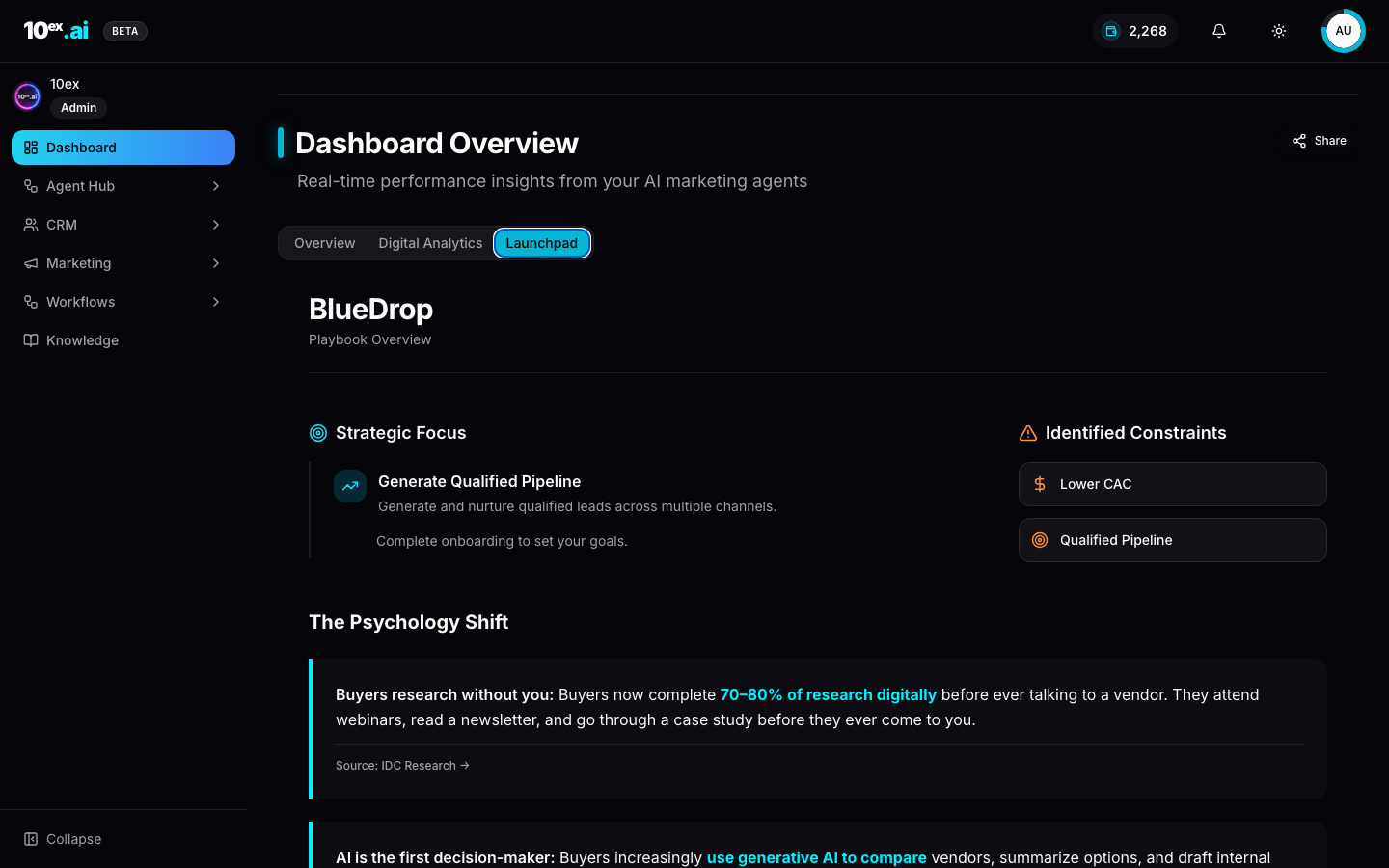
Launchpad
The auto-generated 30-day GTM playbook for your workspace.
A look inside the product
Every link in these docs traces back to a real surface in 10ex. Here are three of the most-used.
Pick your channel
For AI agents
10ex exposes a full Streamable-HTTP MCP server. An agent can sign up, connect Gmail, ingest brand knowledge, import leads, and launch a personalized email sequence without ever touching the UI.
Sign me up at acme.com, ingest example.com into knowledge, connect Gmail, import these 50 leads, and launch a 3-email nurture sequence with Nova (email-sequence-generation).
→ MCP setup guide · MCP tools reference
Where to start
- First time on 10ex? Quickstart tutorial takes you from signup to a live email sequence in about 15 minutes.
- Running an existing workspace? Open Launchpad inside the product, or read the Launchpad concept to understand what it builds for you.
- Building an integration? API reference and the MCP setup guide are the two pages you need.
- Evaluating 10ex? Meet the cast for a tour of the 16 named agents and what each one ships.