What Ravi does
Ravi is an autonomous multi-agent system that creates winning LinkedIn advertisements. He supports:
- Sponsored Content (single image)
- Message Ads (1:1 InMail-style)
- Dynamic Ads (personalized follower or job posts)
- Text Ads
He builds audience layers from your CRM segments plus LinkedIn’s own targeting (job title, company size, industry), generates copy via Luna and visuals via Dante, then ships via the LinkedIn Marketing API. Gates by default.
How Ravi launches LinkedIn campaigns
Ravi pulls your ICP and buyer personas first, then maps targeting layers per ad group. CRM-segment audiences sync as matched audiences. LinkedIn-native filters layer on top (seniority, function, company size). Asset generation runs after the audience math is settled, so copy and creative match the actual targeting, not a guess. The preview shows estimated audience size before spend.
If you need B2C reach, Elena usually performs better than LinkedIn at lower CPC.
When to use him
- B2B mid-funnel: LinkedIn shines for enterprise targeting.
- Account-based campaigns: push a Segment as a custom audience.
- InMail (Message Ads) for high-value 1-1 outreach at scale.
In product
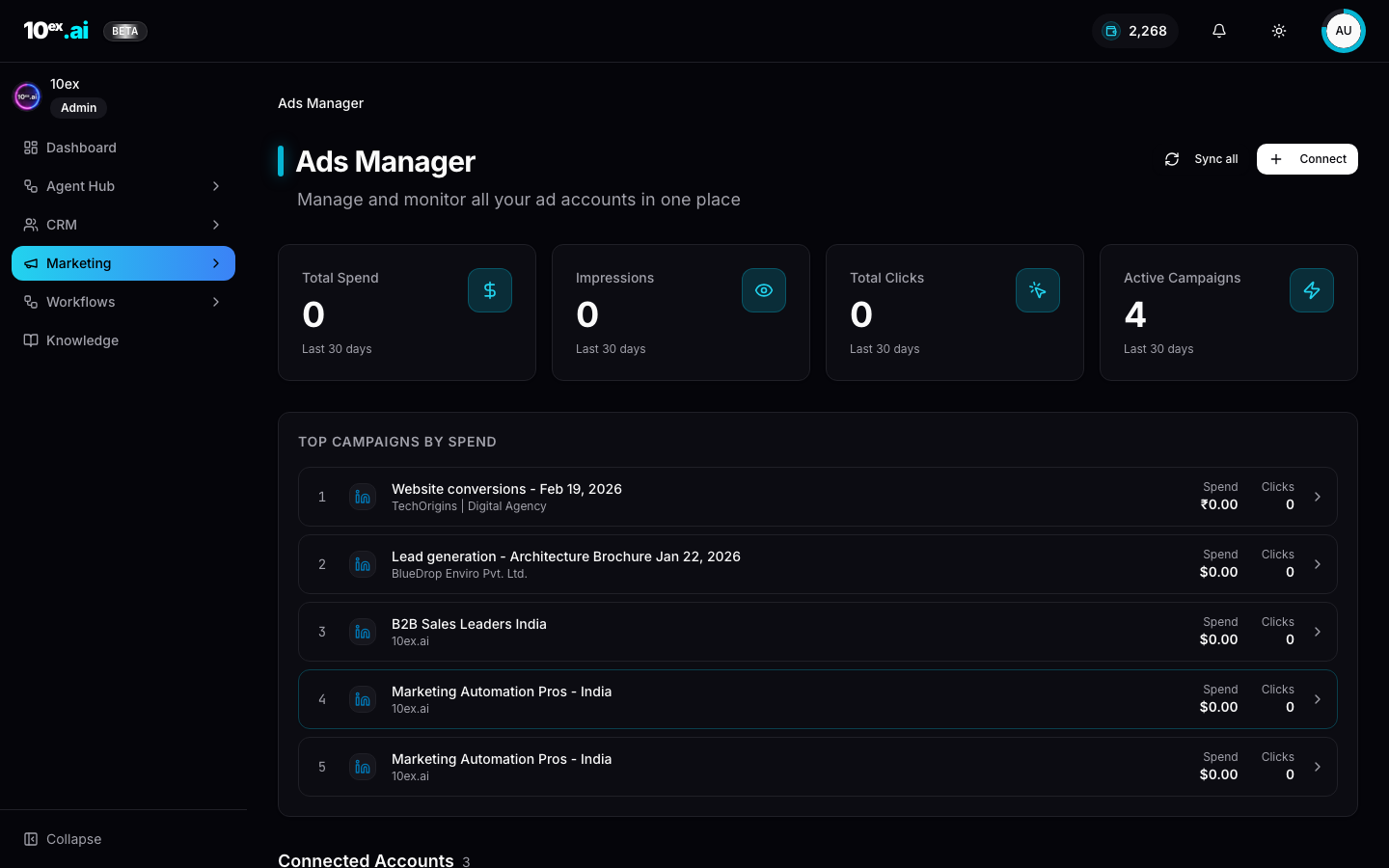
Required connectors
| Connector | Required? | Notes |
|---|---|---|
| LinkedIn Ads | Required | OAuth, ad account access |
Required knowledge
- ICP block,
usps,industry,brand_voice - Buyer Personas (6-item onboarding)
Inputs
{
  "ad_format": "sponsored_content | message_ad | dynamic_ad | text_ad",
  "objective": "lead_generation | website_visits | engagement",
  "brand_id": "uuid",
  "audience_segment_id": "uuid",
  "linkedin_targeting": { "job_titles": [...], "industries": [...], "company_sizes": [...] },
  "daily_budget_usd": 100,
  "approval_required": true
}
Outputs
{
  "campaign_id": "uuid",
  "linkedin_campaign_id": "string",
  "creatives": [...],
  "audience_size": 12500,
  "status": "preview" | "live",
  "next_actions": ["approve_ad_campaign", "get_ad_campaign_metrics"]
}
Outcomes
- Targeted LinkedIn campaigns shipped without leaving 10ex.
- Lead-form submissions sync back to CRM via external sync forms.
- Approval gate before any spend.
MCP equivalents
launch_ad_campaign({ platform: "linkedin", ad_format: "sponsored_content", segment_id, brand_id, daily_budget_usd: 100 })
Common questions
What’s the minimum LinkedIn audience size Ravi will let me launch? LinkedIn enforces a 300-member minimum for matched audiences. Ravi flags audiences below that threshold in preview and recommends loosening filters before approval.
How do Message Ads (InMail) bill? Per send, set by LinkedIn’s auction. Ravi shows estimated CPS in preview. InMail is the most expensive format on LinkedIn so reserve it for high-LTV segments.
Will Ravi pause poor performers automatically?
Not yet. Ravi launches and reports. Optimization loops are on the roadmap. For now, monitor via get_ad_campaign_metrics and pause manually.
Related agents
- Zara (
google-ads-manager) and Elena (meta-ads-manager). - Maya (
ads-strategy-lab): pre-launch strategy.