Marketing
The Marketing section is six channel surfaces. Each one is a hand-rolled tactical view and a place where the matching agent’s output lands. You can drive a channel manually, or hire its agent. Both write to the same store.
| Surface | Route | Driving agent(s) |
|---|---|---|
| Ads | /marketing/ads | Zara / Ravi / Elena, Maya |
| Campaigns | /marketing/campaigns | (orchestration surface) |
| Blogs | /marketing/blogs | Marcus |
| Email Sequence | /marketing/sequencer | Nova, Orion |
| Webinars | /marketing/webinars | Atlas, Iris |
| Videos | /marketing/videos | (asset surface; intake routes through Chat) |
Important: every surface has two entry paths
Marketing surfaces and Agent Hub overlap intentionally. Blogs can be created from Marketing → Blogs → Create Blog or from Agent Store → Marcus. Both routes write to the same blog store. The product surface is hand-tuned for one channel; the agent runs the same channel as part of a multi-step plan.
A practical rule of thumb:
- Use the marketing surface when you know exactly the artefact you want now (one blog about X, one ad campaign for Y) and you’ll fill the form yourself.
- Use the agent when you want the channel run end-to-end with sub-agents (research, outline, draft, visuals, publish) or when it’s part of a Launchpad-driven multi-channel motion.
Ads
The Ads Manager is the unified view across every connected ad account.
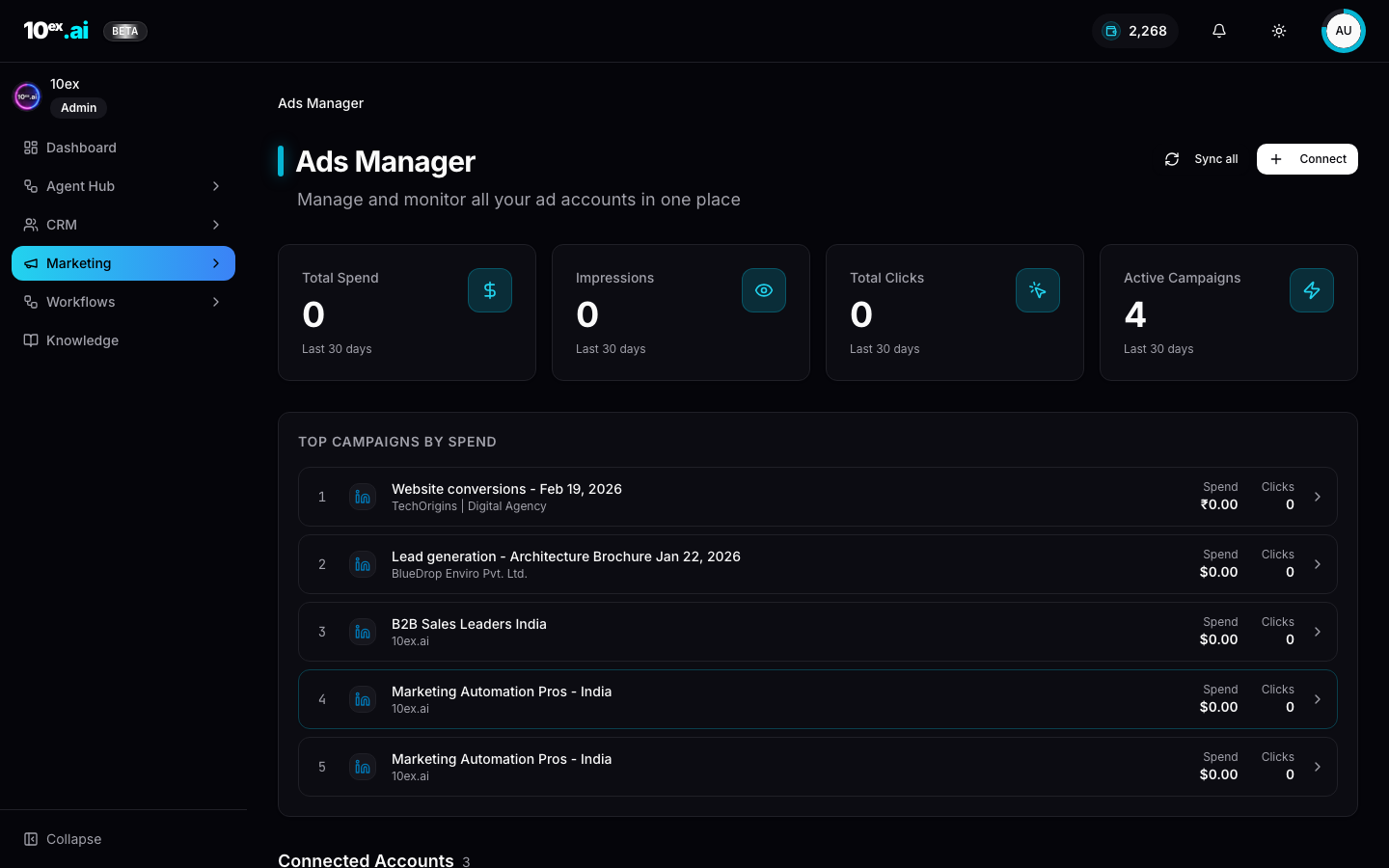
- Counters: Total Spend, Impressions, Total Clicks, Active Campaigns over the last 30 days.
- Top Campaigns by Spend: ranked list across every connected account.
- Connected Accounts: per-account row with currency, campaigns count, spend, clicks, and a Remove action.
- Sync all: pulls fresh data from every connected ad account.
- Connect: starts the OAuth grant for a new account (Google, LinkedIn, or Meta).
Driving agents: Zara (Google), Ravi (LinkedIn), Elena (Meta), and Maya (cross-platform strategy planning). All are gated by the corresponding ads connector.
Campaigns
Campaigns sit upstream of the Email Sequencer. A campaign is a draft that becomes a sequence on launch.
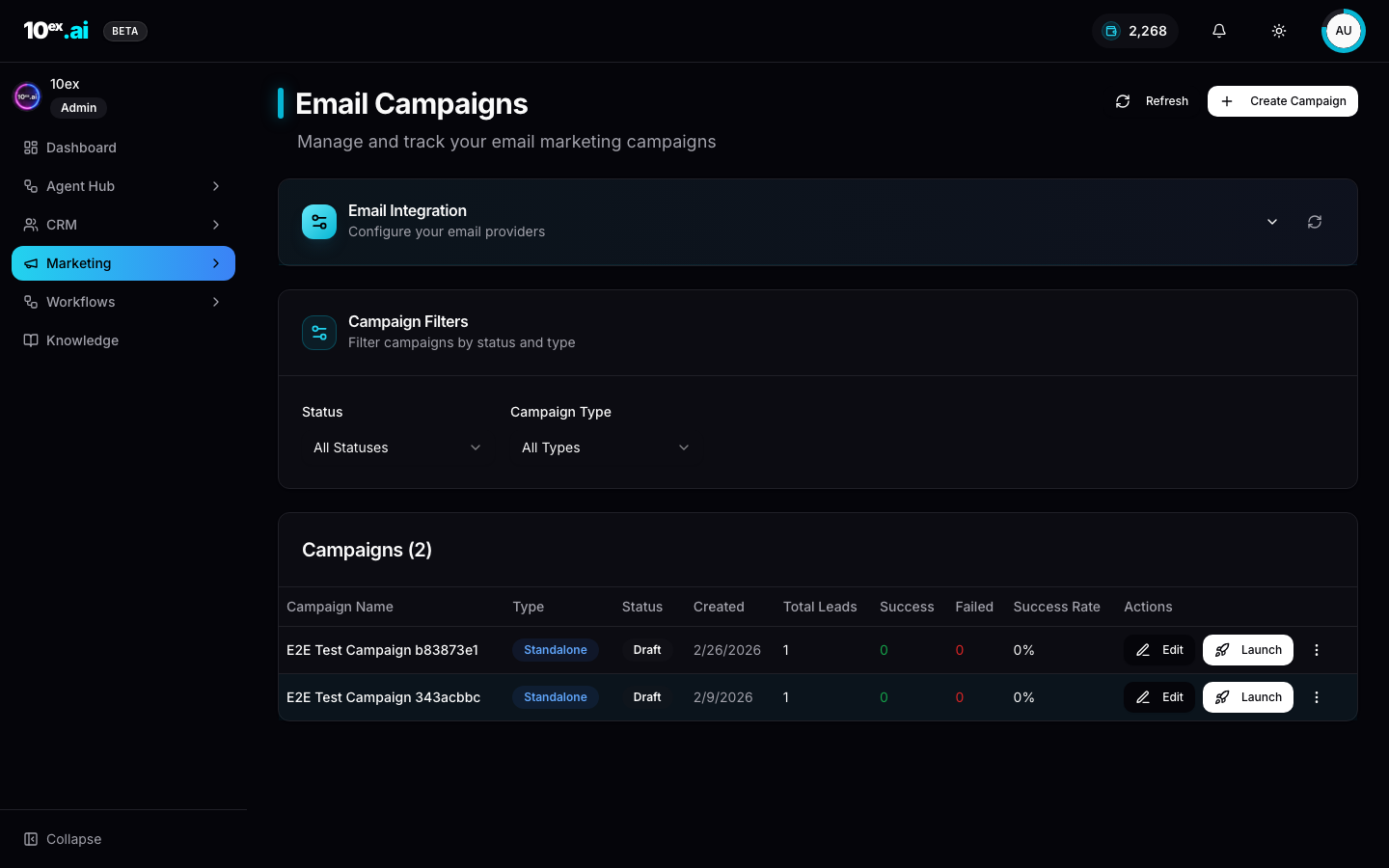
- Create Campaign opens the campaign editor with target segment, sender, and content.
- Status / Type filters scope the table.
- Edit / Launch actions per row. Launch promotes a draft into a live sequence.
Blogs
The Blogs page is the publish and analytics surface.
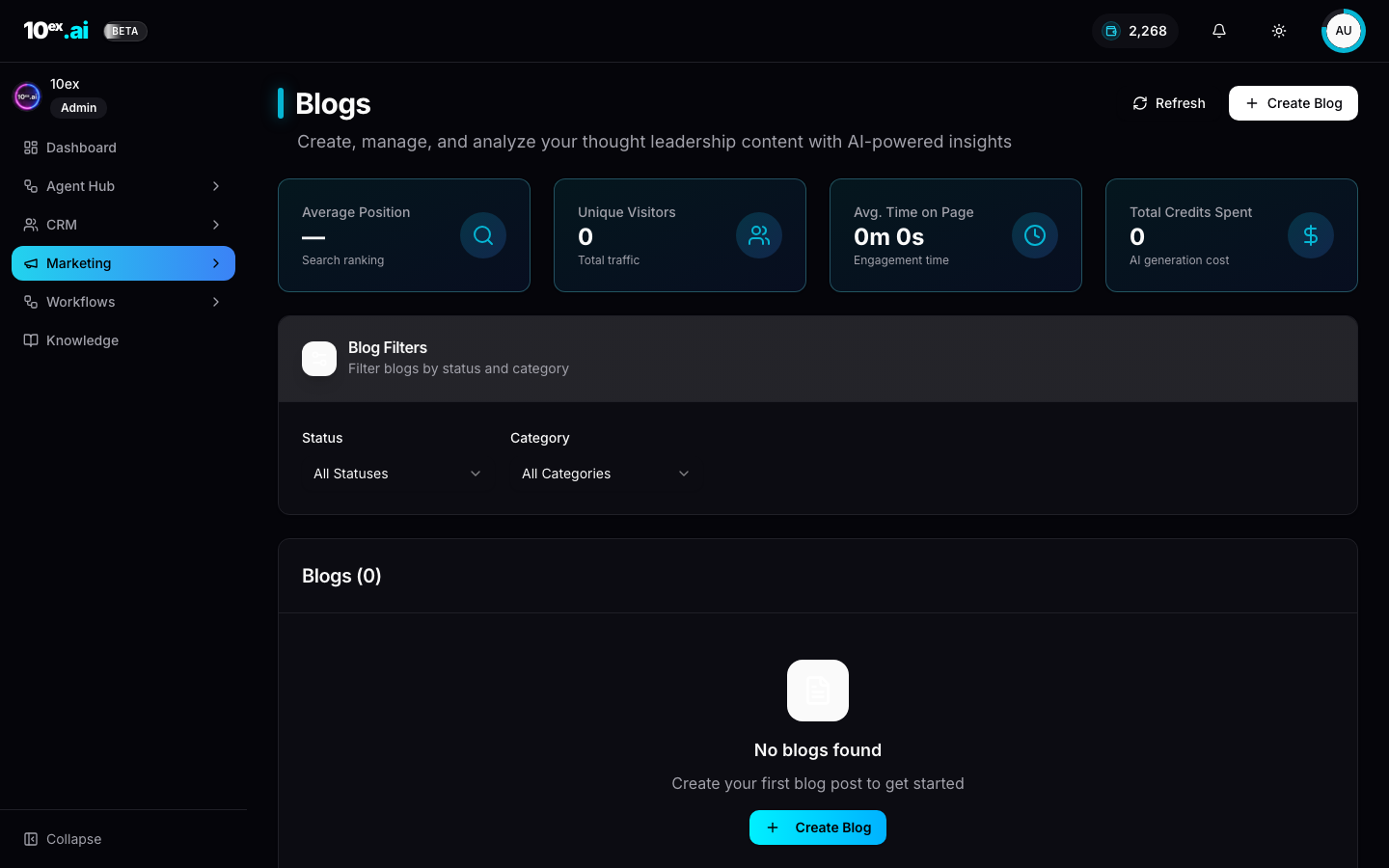
Counters: Average Position (search ranking), Unique Visitors, Avg. Time on Page, Total Credits Spent (the AI generation cost). All require a connected GA4 plus Search Console.
How to create a blog
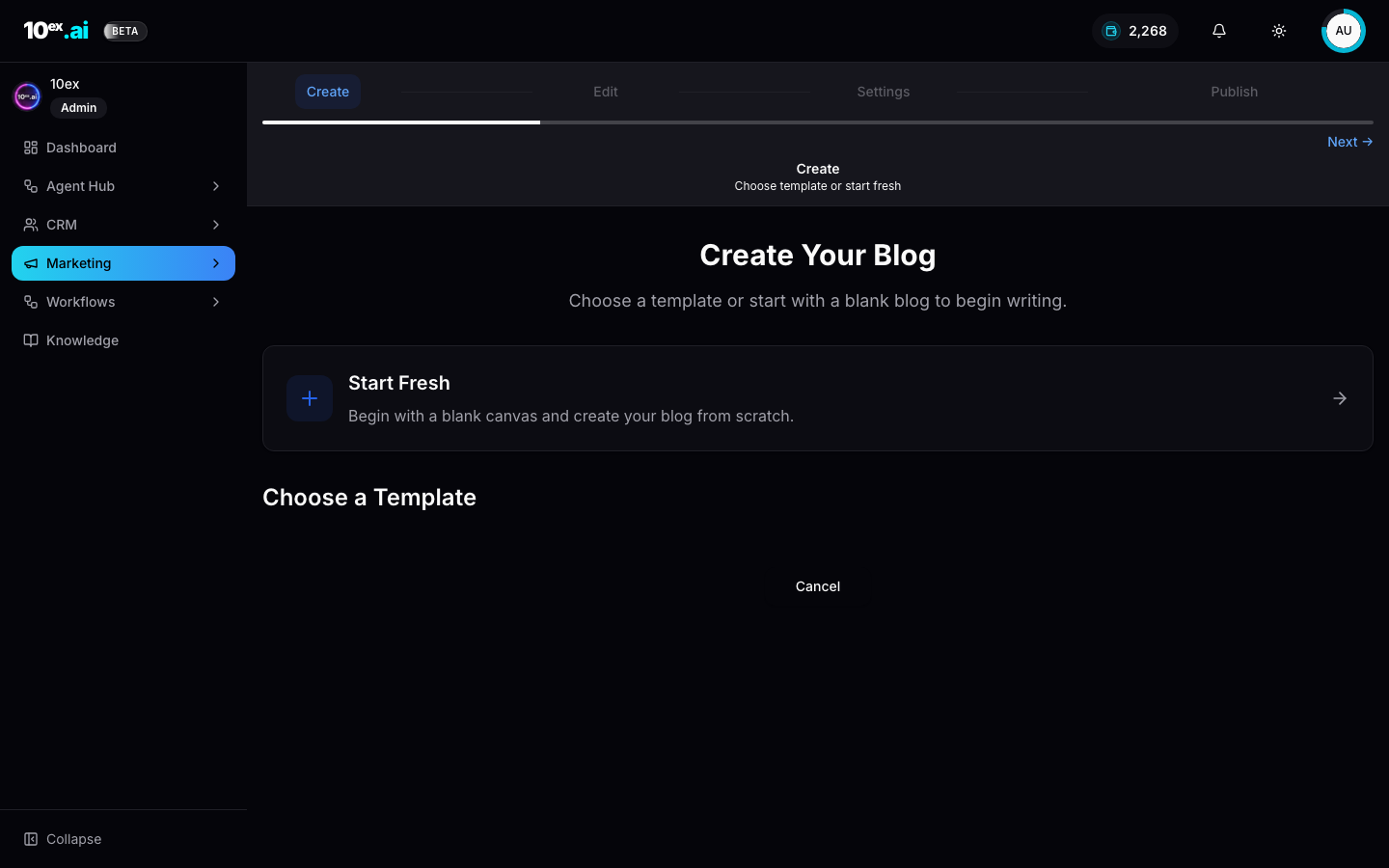
The wizard is Create → Edit → Settings → Publish:
- Create: pick a template or start fresh.
- Edit: rich-text editor with brand-aware writing assistant.
- Settings: SEO meta, hero image, scheduled publish.
- Publish: push to Webflow or Sanity (requires connector) or save as draft.
For end-to-end automated blogs (research, outline, draft, visuals, publish), hire Marcus instead.
Email Sequence
The Email Sequencer is where multi-step nurtures live.
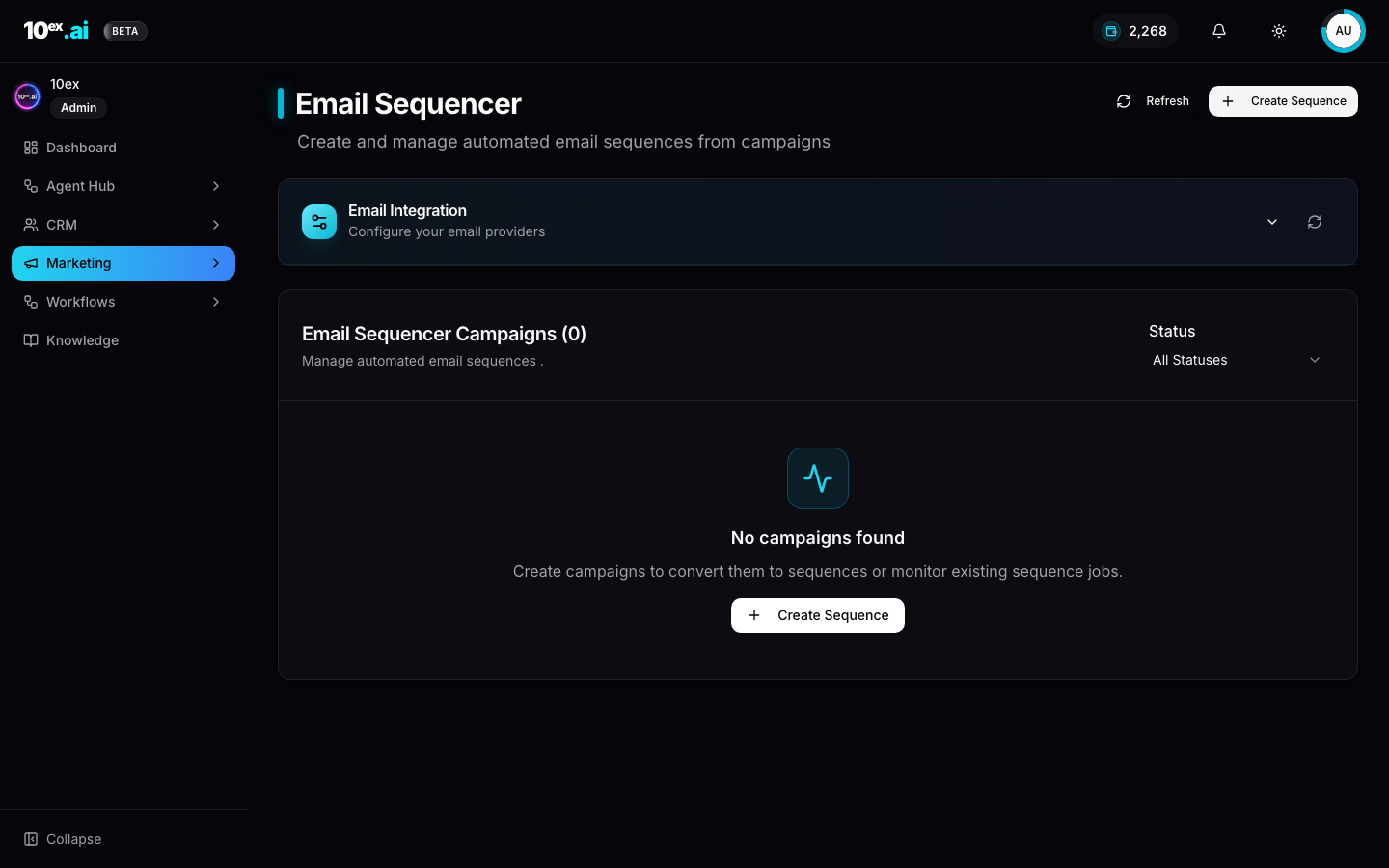
How to create a sequence
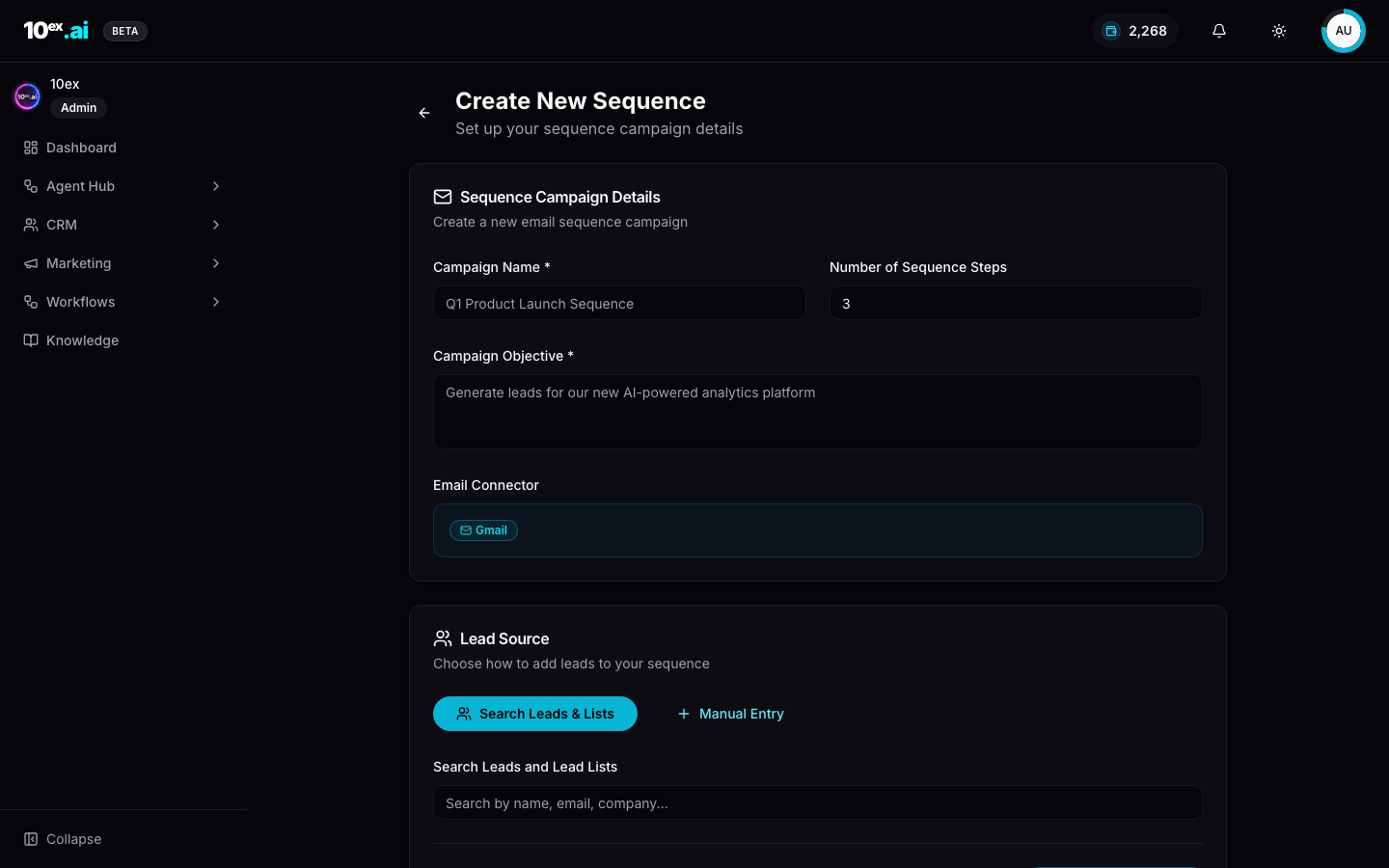
Form fields:
- Campaign Name: internal label.
- Number of Sequence Steps: default 3.
- Campaign Objective: free text. Drives subject lines and CTAs (e.g. “book a demo”, “drive trial signup”).
- Email Connector: Gmail or Outlook.
- Lead Source:
Search Leads & Lists(pick a segment or list) orManual Entry(paste emails).
The agent-driven equivalent is Nova (email-sequence-generation). Same outputs, but with the full 6-sub-agent crew that researches each lead and runs a reviewer pass.
Before you launch volume, read Improving email deliverability — domain authentication, warm-up, and list hygiene determine whether any of this lands in the inbox.
Webinars
Webinar production is multi-stage. The Create Webinar flow can either:
- Take your content (uploaded outline or script) and generate slides plus video.
- Generate everything from a topic: outline, script, slides, talking-head video, stitched final.
Driving agent: Atlas (webinar-generator). Cover image generation is a separate agent: Iris (webinar-image-generator) at 10 credits per image.
Videos
Video intake recently moved into Unified Chat. Clicking Create Video opens a chat session with a video-intake agent that asks structured questions and produces the video as a chat artefact.
MCP equivalents
launch_email_sequence({ segment_id, brand_id, objective: "book a demo", sender_connector_id, num_emails: 3, cadence_days: [0,3,7] })
generate_blog({ topic, brand_id, audience_segment_id, target_words: 1500 })
launch_ad_campaign({ platform: "google", segment_id, budget_daily, objective })
generate_webinar({ topic, target_audience_id, duration_min: 45 })
Common questions
Can I edit Marcus’s blog draft before publish? Yes. Drafts land in the Blogs surface. Open them in the rich-text editor, edit, and publish from there.
Why are my blog counters all zero? GA4 and Search Console need to be connected and the blog’s URL has to be live for at least 24 hours before counters populate.
How do I A/B test ad copy across platforms? Hire Maya. The Ads Strategy Lab generates platform-specific variants from one brief and tracks performance back to the source.
Related
- Cast: named agents: every persona that drives a marketing surface
- Approval workflows: what happens between draft and send
- Use cases: channel-specific playbooks