Forms: native and external sync
The Forms Hub at /crm/forms is two distinct primitives sharing one landing page. Both produce leads in the 10ex CRM, but they operate at different points in the funnel and need different setup.
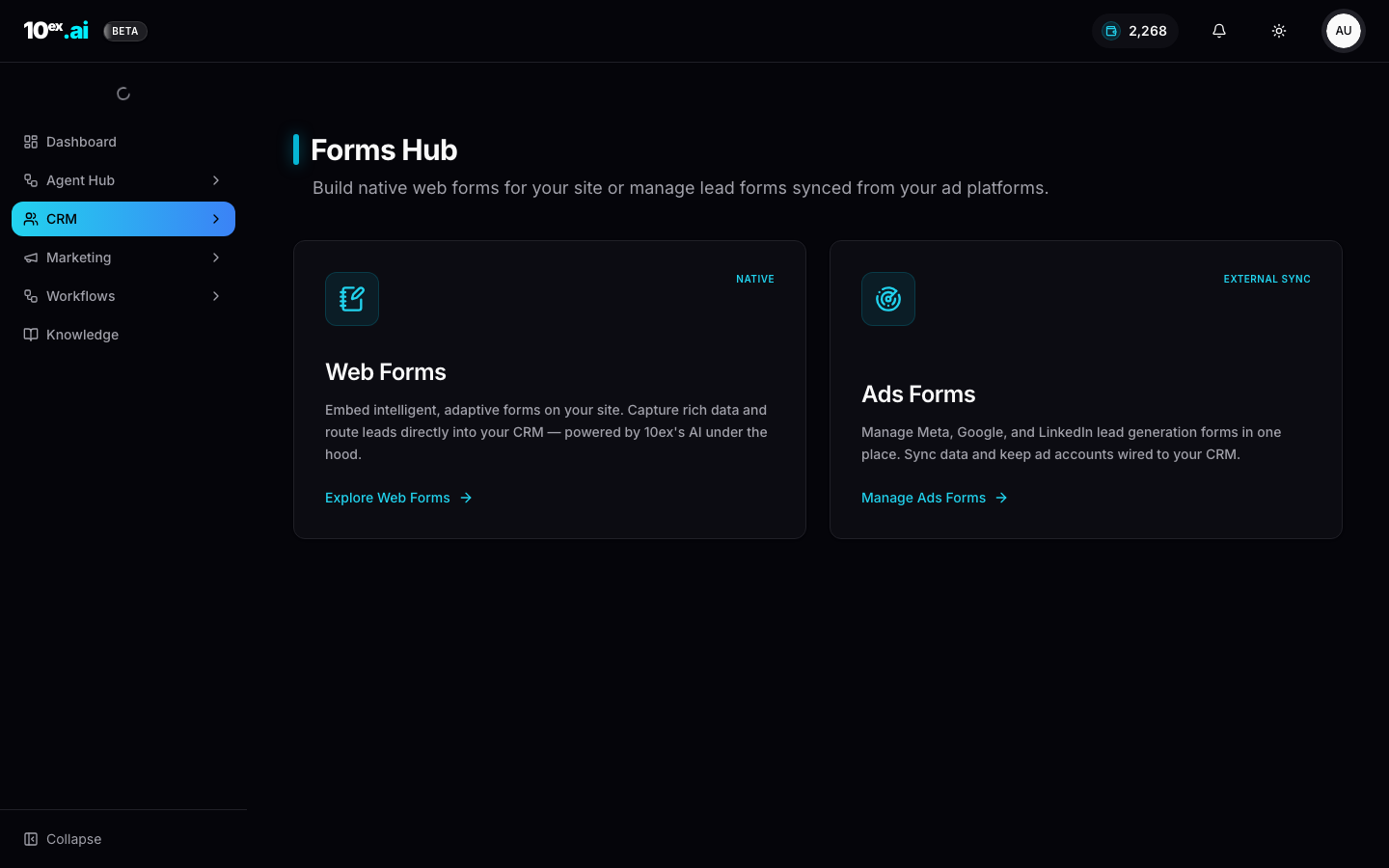
Native web forms
Embeddable forms for your own site. Three things make them more than a contact form:
- Adaptive: fields adjust based on prior answers. Tick “Enterprise” and the form asks for company size; tick “Self-serve” and it doesn’t.
- AI-powered: submission triggers dedupe (against existing leads), enrichment (company info from domain), and routing (to the right segment based on field values).
- CRM-native: submissions become leads with
source = native_formand the form’s name as a sub-tag.
Where to use it
- Demo request pages on your marketing site
- Newsletter signup with progressive profiling
- Gated content like whitepapers and calculators
- Contact and sales pages
How to set up a native web form
Open Forms Hub → Native Web Forms → Explore Web Forms to launch the form designer:
- Build: drag-and-drop fields, set required or optional, add conditional logic.
- Style: match your site’s typography and colors. The designer auto-pulls from your Brand Kit on first load.
- Embed: copy the embed snippet (a single
<script>) and paste into your site. - Route: pick a default segment for new submissions.
Submission flow
Submission, then form validation, then dedupe against existing leads, then enrich (Apollo or Clearbit), then write to CRM, then assign to default segment, then fire any subscribed workflows.
If a submission matches an existing lead, the form updates the lead (new fields fill, existing fields stay unless changed) rather than creating a duplicate.
External sync ads forms
Meta Lead Ads, Google Lead Forms, and LinkedIn Lead Gen Forms all live on the ad platform itself. The user fills the form without leaving the platform. 10ex pulls those submissions back into the CRM via API on a schedule (typically every few minutes).
Why use them
Ad-platform forms convert better than redirects to your site. There’s no page-load drop-off and the user’s profile autofills. Meta in particular has very high lead-form CVR for B2C and prosumer offers.
How to connect a Meta lead form
Open Forms Hub → External Sync Ads Forms → Manage Ads Forms:
- Connect the ad platform if not already (Google Ads, LinkedIn Ads, Meta Ads under Connectors).
- Discover forms: 10ex pulls the list of lead forms from each connected ad account.
- Map fields: match each form’s fields to the 10ex lead schema. Most map automatically.
- Activate: each form has a sync toggle. Active forms pull submissions every few minutes.
Submission flow
Ad-platform submission, then 10ex polls, then dedupe, then enrich, then write to CRM with source = meta_lead_ad | google_lead_form | linkedin_lead_gen, then segment routing, then workflows.
The lead lands in the same CRM as native-form submissions, so downstream agents (Nova for follow-up emails, Kai for outbound calls) operate on the same shape regardless of source.
Both at once
Most teams use both:
- Native for site traffic: high-intent visitors who land from search or direct.
- External sync for paid social: lower-friction capture from ads where the form lives on Meta or LinkedIn.
Routing rules can split the two. For example: if source = meta_lead_ad → segment "Meta lead" → Nova nurture sequence, and if source = native_form → segment "Demo request" → Kai voice qualification.
Form analytics
Both types show analytics under their respective panels:
- Native: submissions, conversion rate (vs page views), time-on-form, drop-off by field.
- External sync: submissions, cost-per-lead (using the ad platform’s spend), platform comparison.
MCP equivalents
list_forms() // returns both native and external-sync forms in a unified shape
create_form({ name, type: "native", fields: [...], default_segment_id })
get_form_submissions({ form_id, since: "2026-01-01" })
Common questions
My Meta form was active but stopped pulling submissions. Check the connector status. Meta tokens expire when you change Facebook Business Manager permissions. Disconnect, reconnect, and re-toggle the form.
Can I edit a native form after embedding it? Yes. Edits propagate to the live embed within a minute. The embed snippet doesn’t need to change.
What happens if a lead submits the same native form twice? The second submission updates the existing lead with any new field values, then fires submission-based workflows again. There’s no duplicate row.
Related
- CRM: where submissions land
- Connectors: Meta, Google, and LinkedIn Ads as sources
- Email Sequence Generation: the canonical follow-up agent