Brand knowledge schema
Every agent’s first sub-agent reads brand knowledge. Get this wrong and even the best crew produces generic output. Get it right and Marcus writes blogs that sound like you, Nova writes emails that match your voice, and Maya builds a campaign structure that fits your actual ICP.
The schema below maps directly to the panels under Settings → Company Research, Settings → Brand Voice, and Settings → Brand Kit in the product. Everything is shared across agents. Fill it once, every persona reads from it.
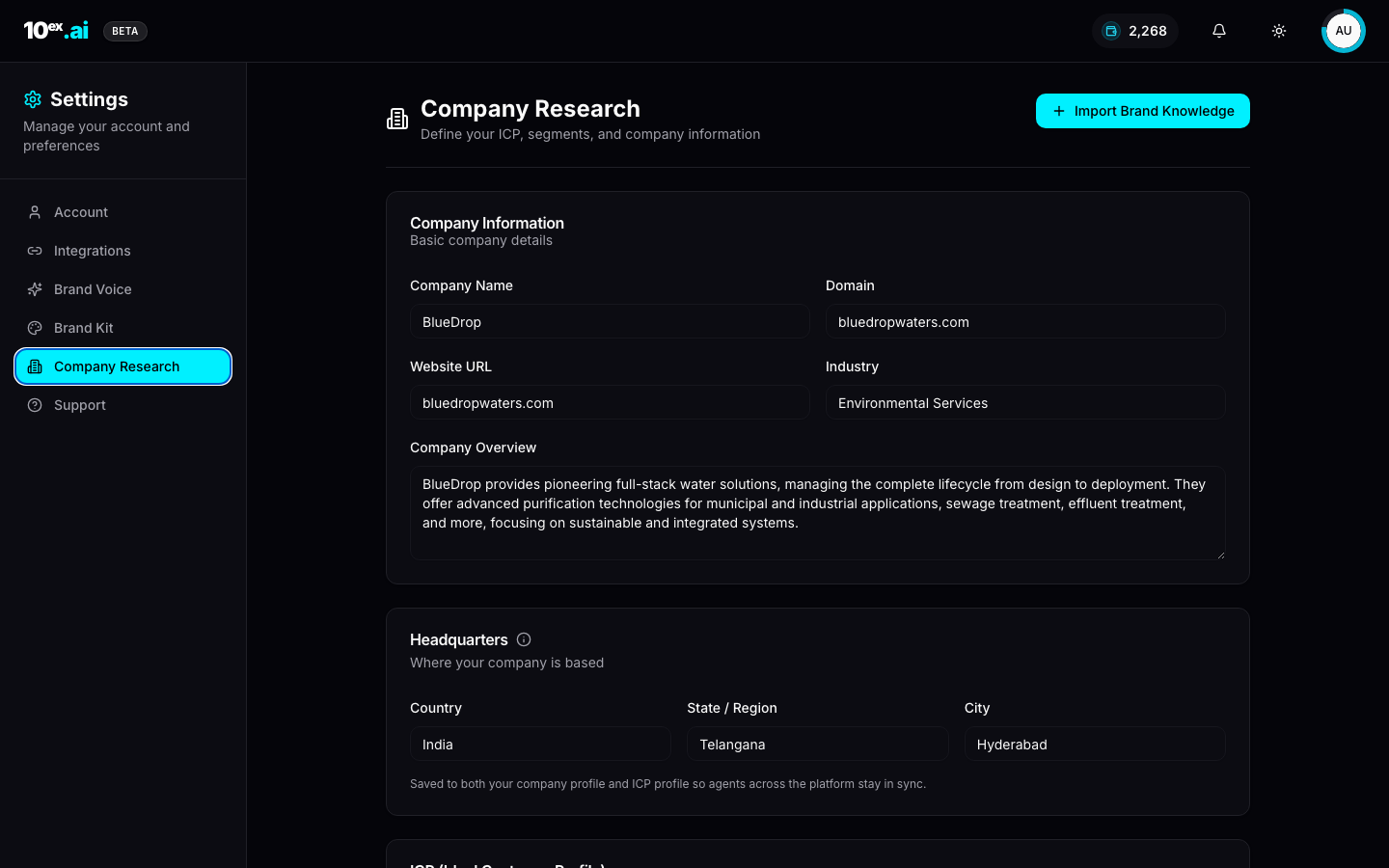
1. Company information
Lives at Settings → Company Research. Used by every agent.
| Field | Type | Why agents need it |
|---|---|---|
company_name | string | First-person voice in copy (“at BlueDrop, we…”) |
domain | string | Email-sender domain alignment, deliverability |
website_url | URL | Source for website_scraper to refresh facts |
industry | string | Vertical priors for Maya, Juno, Marcus/Blog |
company_overview | text | Drop-in pitch paragraph; reused in cold emails, ad copy, blog intros |
headquarters | { country, state, city } | Lead targeting (Marcus/Prospector), localization |
2. ICP, the Ideal Customer Profile
Same panel, scrolls below Company. Used by Marcus/Prospector, Nova, Maya, Juno, and the segment builder.
| Field | Type | Why |
|---|---|---|
employee_count | number | Apollo search filter for Marcus/Prospector |
revenue | number (USD) | Disqualifier for too-small or too-big accounts |
growth_rate | number (%) | Intent signal: high-growth accounts get prioritised |
growth_rate_classifier | string | Free-text label (“Positive growth indicated by project completion”) consumed verbatim by personalizer |
market_segments | string[] | Drives segment seeding and ad targeting; example: ["Municipalities", "Industrial", "Commercial Buildings", "Healthcare", "Education"] |
usps | string[] | Differentiators surfaced in subject lines and ad headlines; example: ["Comprehensive water solutions", "Sustainable practices", "Integrated systems", "Technology-agnostic"] |
3. Brand voice
Lives at Settings → Brand Voice. Used by every writing agent: Marcus, Nova, Orion, Luna.
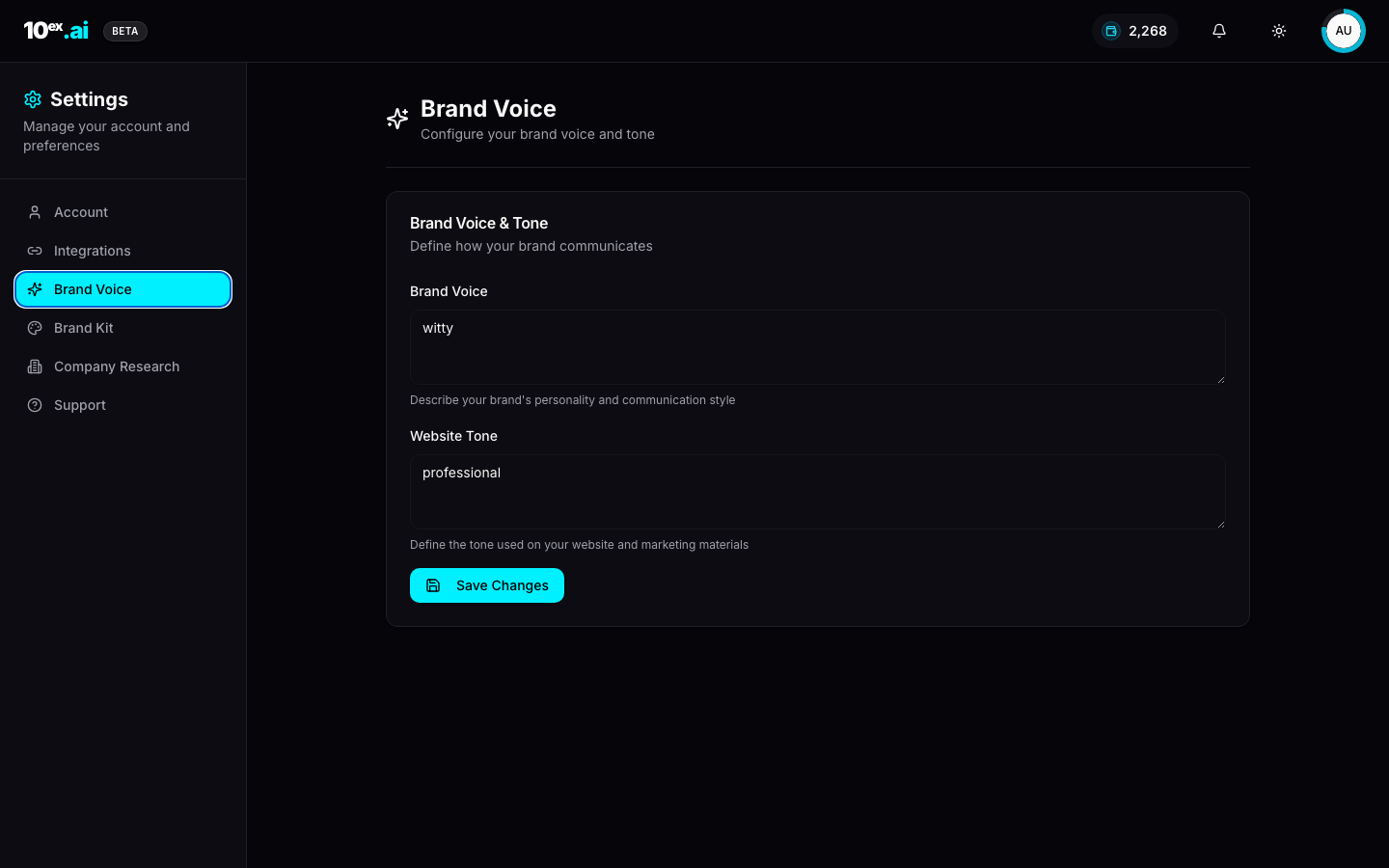
| Field | Type | Example |
|---|---|---|
brand_voice | text | ”witty, plainspoken, technically precise, never corporate” |
website_tone | text | ”professional, evidence-led, calm” |
The fields are intentionally small. Reviewers (company_expert_reviewer, sequence_editor) re-read them on every pass, so verbose entries dilute the signal. One line each is plenty.
4. Brand kit
Lives at Settings → Brand Kit. Used by Iris, Dante, Atlas, Marcus/Blog, Nova/PPT, anything visual.
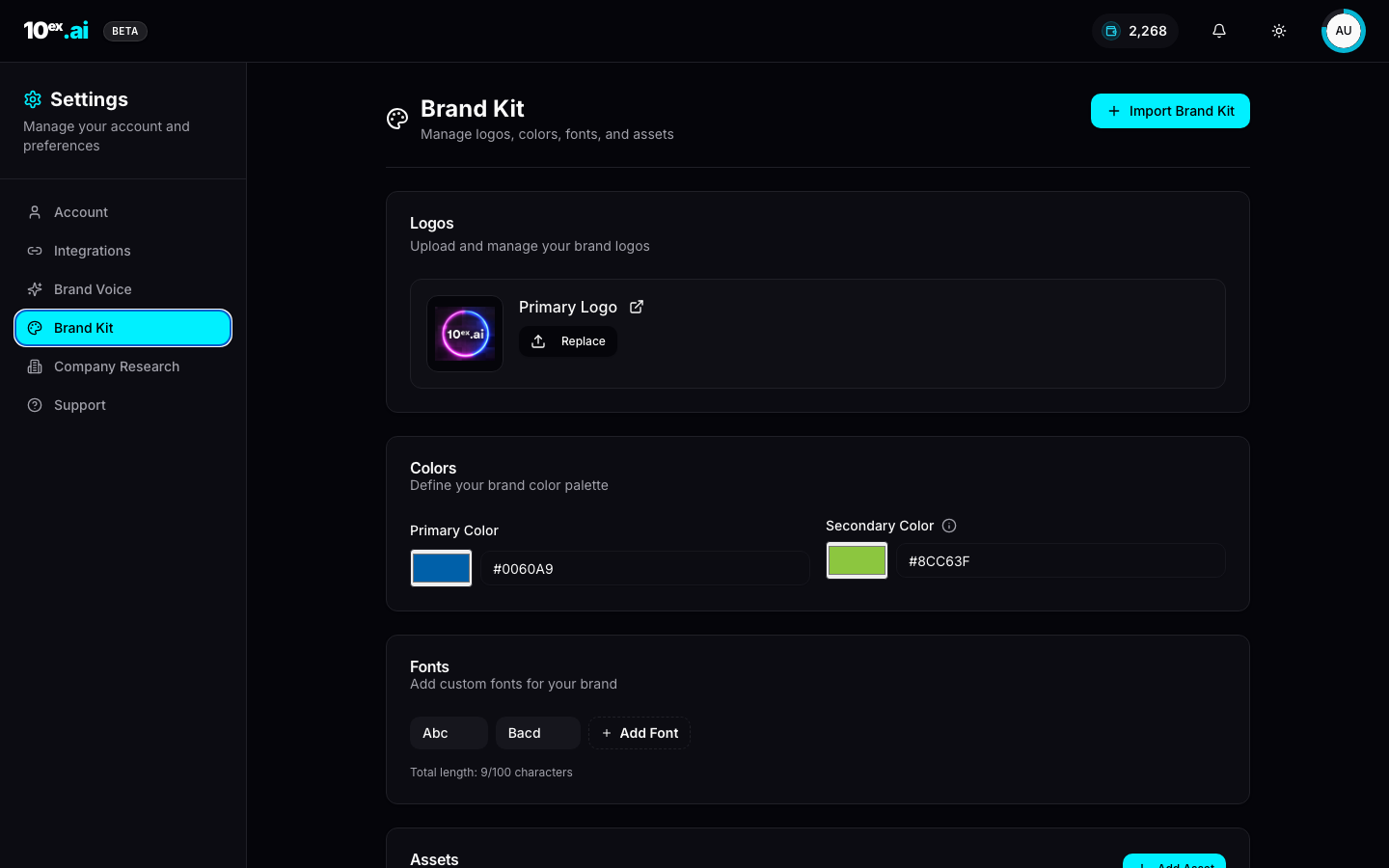
| Field | Type |
|---|---|
primary_logo | image (PNG / SVG) |
colors.primary | hex |
colors.secondary | hex |
fonts | string[] (custom font names) |
assets | files[] (uploadable brand assets) |
Tip. The Import Brand Kit button at the top of the panel runs a scrape of your domain and pre-fills logos, colors, and fonts. Fastest way to bootstrap.
5. The 6-item onboarding checklist
The Profile → Complete Your Setup drawer (top-right user menu, opens on first login) lists six required artifacts. The platform reports an Overall Progress percentage based on completion.
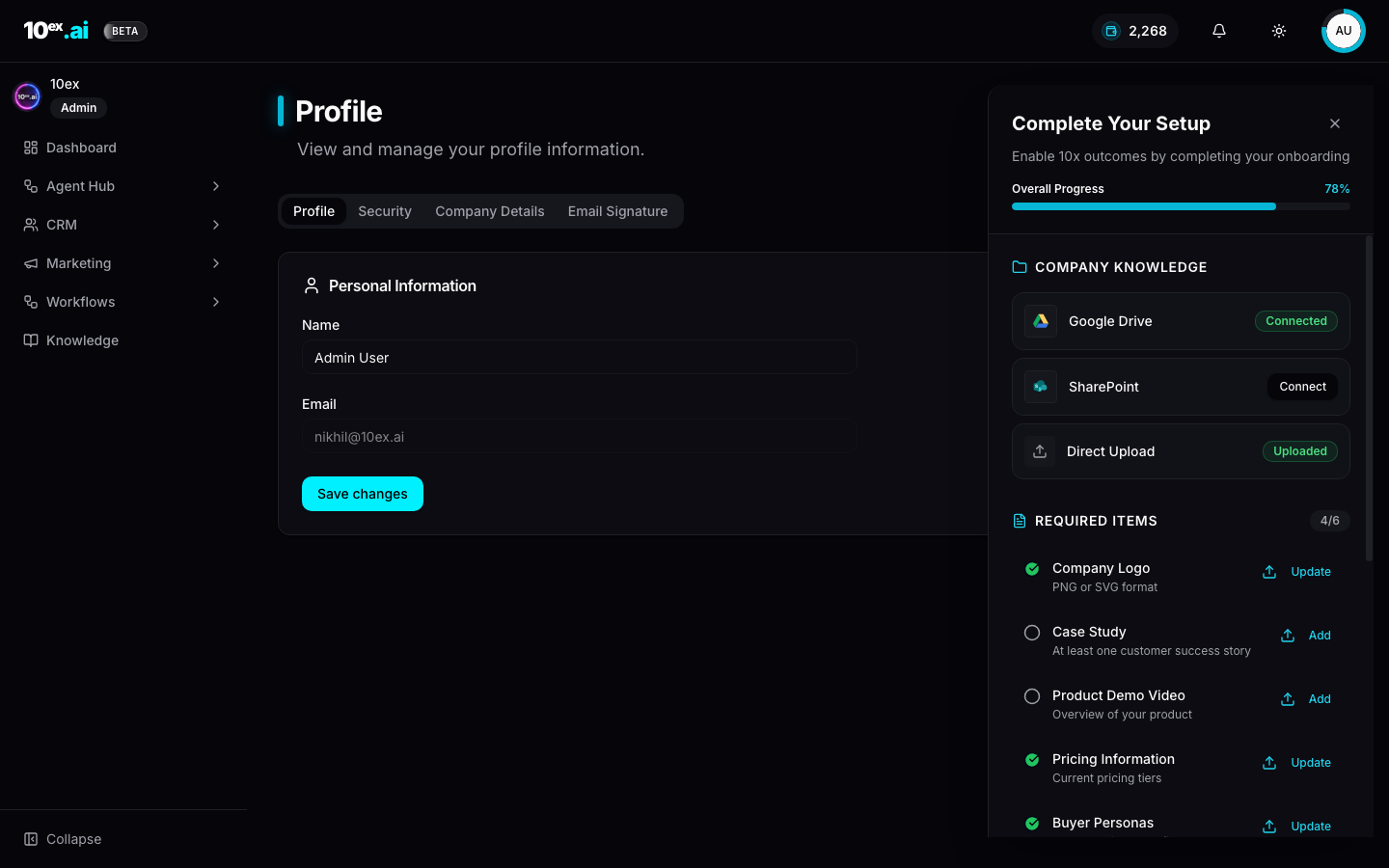
| # | Item | Used by |
|---|---|---|
| 1 | Company Logo (PNG/SVG) | Iris, Dante, Atlas, Marcus/Blog, Nova/PPT |
| 2 | Case Study (≥1 customer success story) | Marcus/Blog, Nova/Email, Atlas |
| 3 | Product Demo Video | Atlas, landing pages, Nova/PPT |
| 4 | Pricing Information | Nova/Email (objection handling), Maya (offer mapping) |
| 5 | Buyer Personas | Marcus/Prospector, Nova/Email (personalisation), Maya |
| 6 | Competitor Analysis | Juno, Sora (audit context), Nova/Email (positioning) |
Side-by-side, the same drawer tracks Connector Requirements (5/12 in a fresh workspace). The two lists together are the platform’s notion of “ready to launch.”
6. Cloud knowledge
In Knowledge → Connect Company Knowledge, two cloud sources can be attached:
- Google Drive. Files surface in the Knowledge browser as
Cloud document, get chunked, embedded into Qdrant, and become searchable to every agent. - SharePoint. Same pipeline, Microsoft side.
Plus direct upload (PDF, DOCX, TXT) under Knowledge → Upload Document. Each file gets an Indexed badge once embedding finishes.
How brand knowledge gets used
At runtime, the first sub-agent in most crews calls knowledge_organizer, which projects only the slice of the schema that crew needs:
- Marcus/Blog.
company_overview,usps,brand_voice, plus retrieved past blogs. - Nova/Email Sequence.
company_overview,usps,icp.market_segments,brand_voice, plus per-lead enrichment. - Maya/Ads Strategy Lab. Full ICP block plus
uspsandindustry. - Iris and Dante.
brand_kit(colors, logo, fonts). - Juno/Market Research.
industry,market_segments, andcompetitor_analysis.
This is why filling the schema once unlocks every agent at once. A common misunderstanding: filling out the schema for Nova then expecting Maya to “ask again.” She won’t. She reads the same fields you already filled.
MCP equivalents
get_company() // returns the full schema above
update_company({ icp: { market_segments: ["Municipalities","Industrial"], usps: ["Comprehensive water solutions"] }, brand_voice: "witty, technically precise" })
upsert_brand_knowledge({ offerings: [...], usps: [...], buyer_personas: [...] })
ingest_url_into_knowledge({ url: "https://yourcompany.com" }) // auto-fills brand kit + overview
Common questions
What’s the minimum I need to fill before hiring an agent? Company name, domain, industry, and brand voice. Anything more is gravy, but usps and market_segments are what take Nova from generic to sharp.
Does editing the schema retroactively change past outputs? No. Past artifacts are frozen. Only future runs read the updated schema.
Can I version brand knowledge? Not in v1. The latest values win. If you’re A/B-testing positioning, run two workspaces.
Related
- Knowledge & RAG: how the schema is stored and retrieved
- Cast: named agents: who reads which fields
- Quickstart: fill the schema, then launch in 15 minutes