Approvals and guardrails
Agents and the CMO can send email, publish posts and spend money. Two things keep that in check:
- Approvals stop an action until a person says yes.
- Guardrails are rules an agent’s output must meet before it counts as done.
What needs approval
Every tool an agent can use has an effect:
| Effect | Example | Asks by default? |
|---|---|---|
| Internal read | Searching your knowledge, looking up a lead | No |
| Internal write | Saving leads, running code in the sandbox | No, except a few high-impact ones |
| External read | Scraping a site, a web search, a keyword lookup | No |
| External write | Sending an email, publishing a post, launching an ad | Yes |
A tool nobody has classified is treated as an external write, so a new tool never runs unattended by accident.
Connector writes (anything that changes your mailbox, ad account or CMS) always ask unless you have turned on auto-approve for that agent and connector. Reads never ask.
What an approval card shows
When something needs your yes, the chat shows an approval card with what will happen, not raw arguments:
- an email shows To, Subject and the full body
- a CMS post shows the title, the publish settings (site, status, slug, tags) and the post itself
- an ad launch or campaign build shows a preview of what will go out
Then you choose:
- Approve runs it exactly as shown.
- Edit turns the preview into an editor. Change recipients, copy or a publish time, then approve your version. If the request changed while you were editing, you get a conflict message instead of a stale send.
- Reject drops it. Nothing happens.
A parked call stays on its card until you decide. The card is the only place it waits, so you won’t see it duplicated in the activity timeline.
Asking before spending
The CMO asks before any single action that costs more than 500 credits. It tells you the price first and runs only after you say yes. See Credits and billing.
Changing what asks
You can change the defaults at two levels:
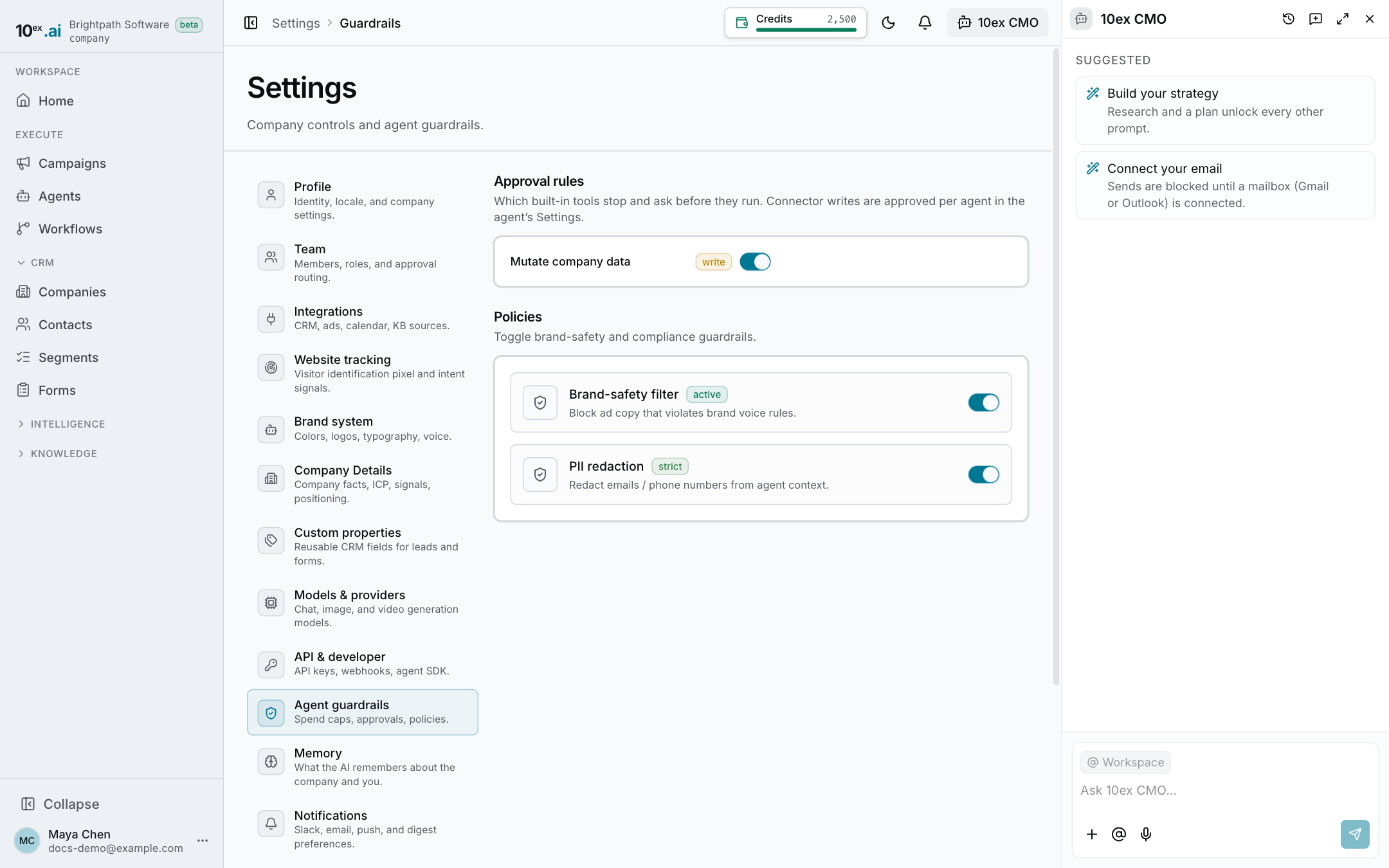
- Company-wide. Settings → Guardrails → Approval rules lists the built-in tools that stop and ask. Turn a row off to let that tool run on its own, or back on to ask again. Changing a row back to its default removes your override, so later default changes still apply.
- Per agent. In an agent’s Settings, the Tools section has an Ask before running switch under each tool, and Use company default removes the override. The Connectors section has an Auto-approve line for each connector that can write. Read-only connectors say “Never needs approval.”
The most specific setting wins: the agent’s, then the company’s, then the tool’s default.
Only people with the approve permission can change these switches or approve an action. See Roles and permissions.
Guardrails on agent output
Approvals decide whether an action may run. Guardrails check the result.
Each agent has built-in rules plus any rules you add in its Settings → Guardrails. A rule is one of:
- Never say: banned words or phrases
- Must include: a required phrase
- Word limit or Character limit
- Recipient limit: the most people one send can reach
- Links must come from sources
- Numbers must come from tools
- Never claim an action happened
- Custom rule: a plain-language rule that a model judges
Each rule either blocks (the run fails with “Requirements not met”) or warns (the run finishes with “Guardrail notes”). The run card and the chat job card show which one applied.
Not available yet
Settings → Guardrails also has brand-safety and PII toggles, and spend caps are not enforced. Don’t rely on them to limit spend. Use approvals and the 500-credit ask instead.