Reports
Reports (under Intelligence in the sidebar) holds your team’s pinned dashboards. Every report reads live workspace data. Nothing is sample data. If a source isn’t connected or has no data yet, the report says so.
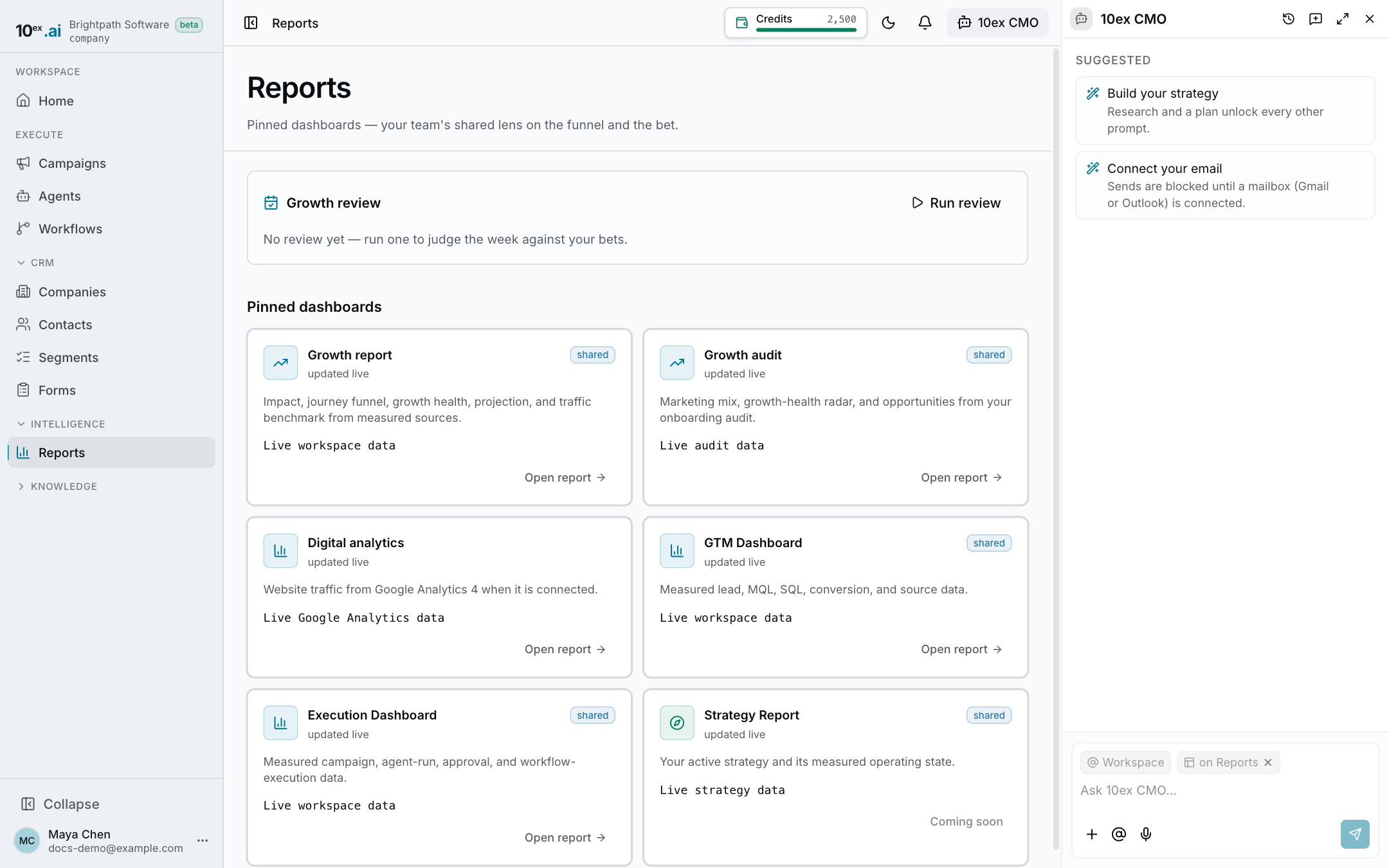
The reports
| Report | What it shows | Data comes from |
|---|---|---|
| Growth report | Impact headline, the customer journey funnel (Visitors → Engaged → MQLs → SQLs) with the bottleneck called out, growth health, a projection, a traffic benchmark, and hot leads (Inpulse score 60+) | Your CRM, the growth audit, and your strategy |
| Growth audit | Marketing mix, a growth-health radar, and opportunities | The audit run during onboarding |
| Digital analytics | Users, sessions, page views, engagement rate, bounce rate, a users-and-sessions trend, and top traffic sources | Google Analytics 4, once connected |
| GTM Dashboard | Leads, MQLs, SQLs, and lead-to-MQL conversion by month, plus leads by source | Your CRM |
| Execution Dashboard | Live campaigns, agent runs, the approvals queue, and workflow executions by month, plus runs by agent | Campaigns, agents, and workflows |
| Strategy Report | Your active strategy, its success targets, days remaining, and the state of its campaigns | Your current strategy |
Click a card, then Open report.
Digital analytics needs Google Analytics
The first time you open Digital analytics, connect Google Analytics and pick the GA4 property for your site. After that, the date range filter drives every chart.
The growth audit runs at sign-up
If Growth audit says there’s no audit yet, add your website on Home to run one. See Home and onboarding.
Filter by date
Most reports have a date range filter above the numbers. It trims the trend charts and the numbers to the window you pick.
Share and export
- Share copies the report’s link. Anyone in your workspace can open it, whatever their role.
- Export → Download as PDF prints the report or saves it as a PDF.
- Export → Download as CSV downloads the report’s data, where the report has a table.
Export needs a role with report export access. If yours doesn’t, the button is greyed out.
How the funnel stages are counted
| Stage | Counted as |
|---|---|
| Visitors | Estimated site traffic from the growth audit |
| Engaged | Contacts with a form submission, email, or call logged |
| MQLs | Contacts whose lifecycle stage is MQL |
| SQLs | Contacts whose lifecycle stage is SQL |
To move a contact along, change its lifecycle stage on the contact page. See Contacts.