Intent signals and hot accounts
An intent signal is a recorded fact that suggests someone may be ready to talk: a company visited your pricing page, a contact opened three emails, a lead filled in a form. 10ex keeps these facts on the company or contact and uses them to show you who is hot.
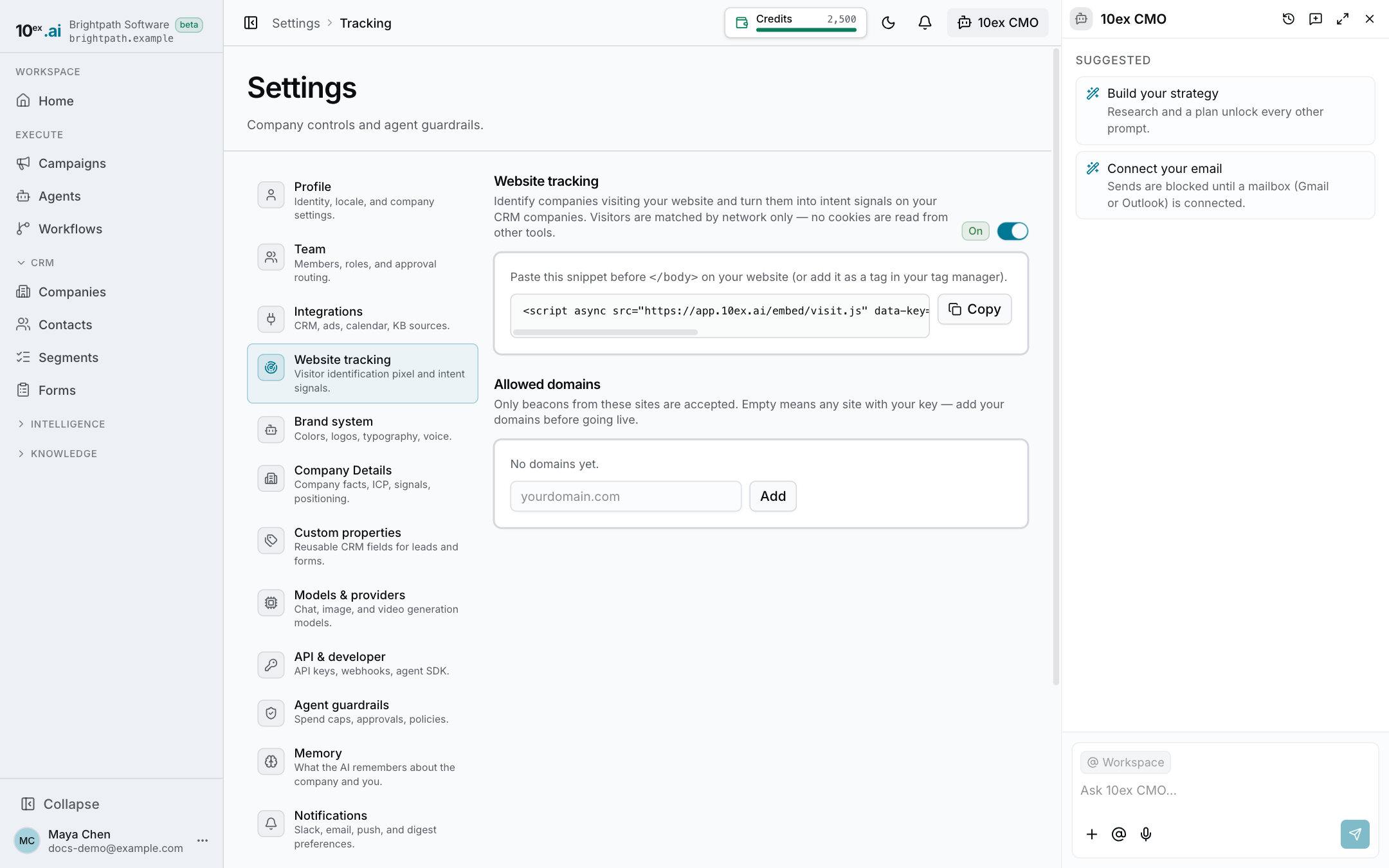
Where signals come from
- Website visits. The tracking snippet on your site records which pages are viewed. See Website tracking.
- Engagement. Form submissions, email opens, clicks and replies on a contact.
- Source and status. Where a contact came from, its stage, and a first-touch campaign tag.
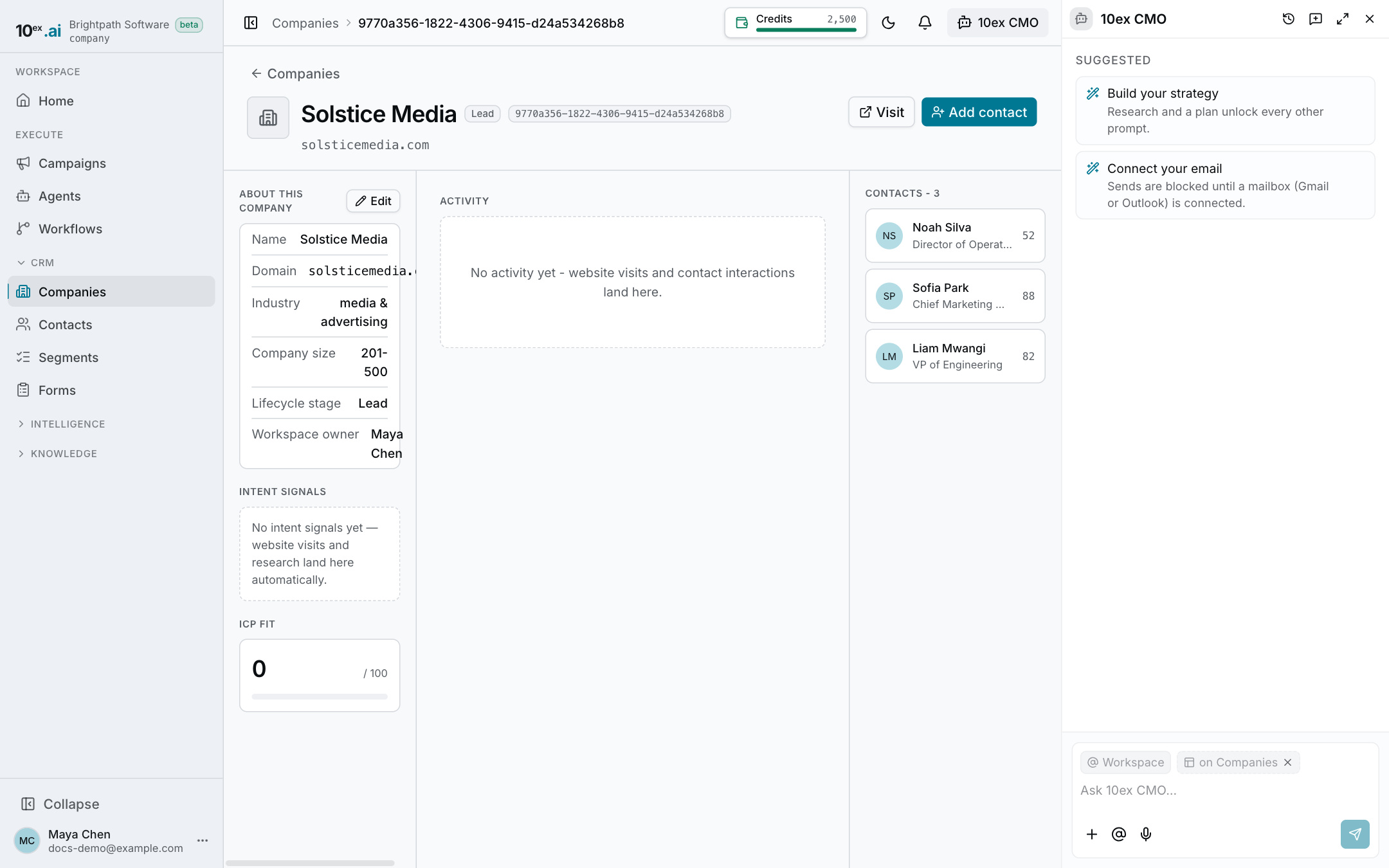
Website visits are company-level
10ex does not identify individual visitors. It works out which company a visit came from, using the network the visit came from, and records it against that company.
What that means in practice:
- A visit from a business or school network becomes, or matches, a company in your CRM. A new one is added with the source Website visitor.
- Visits from home internet, mobile networks, hosting providers and proxies are not saved at all. They can’t be tied to a business.
- 10ex never stores the visitor’s IP address. It is used once to find the company and then dropped.
- No contact is created and no contact activity is logged. A company visit doesn’t prove which person looked.
- The snippet doesn’t run for automated browsers or for visitors who send the Global Privacy Control signal, and it sets no third-party cookies.
When a company shows up for the first time, the owner gets a “New company on your website” notification in the app and by email. Later visits from the same company don’t send another.
The company’s name is matched to a domain and details using the contact database when Apollo is connected. Without it, the company is still created from its registered network name, but without a domain or industry.
Company matching is a best guess. A large company with a shared office network, or a remote worker on a VPN, may resolve to the wrong place or not at all. Treat it as a hint about which accounts to look at, not proof of who read what.
What you see
On a company page, the Intent signals panel shows:
- how many visits and pages it viewed
- its top pages
- the last referrer and campaign tags
The Activity feed groups its visits into sessions beside the activity of the company’s contacts.
Hotness
Companies and Contacts both show a Hotness badge and a Why it’s hot column. The badge is a flame at 80 or above and “warm” at 60 or above.
- Companies: the score is worked out in the browser from website-visit recency and count, how recently any contact was active, the stage, whether it came from a website visit, and how many contacts you have there. The reasons are listed as chips, so you can see why a number is what it is. With no sort chosen, the page is ordered hottest first. This ranks only the page you are looking at, not every company.
- Contacts: the badge shows the contact’s stored Inpulse score. A contact that hasn’t been scored shows a dash, never a made-up number. The reasons are recorded facts, such as the scorer’s own explanation, how recently you contacted them, their status and where they came from.
Contacts use Hot and Dormant tabs too. Hot means an Inpulse score of 50 or more. Dormant means no form fill or email activity in the last 30 days.
Using it
- Sort Companies by hotness each morning and open the top few.
- Check a company’s Activity feed before you reach out.