Ads campaigns
10ex builds and launches ad campaigns on Google Ads, Meta and LinkedIn using your own ad accounts. The CMO drafts the plan, the copy and the images. You check them and launch.
Before you start: a manager, admin or owner has to connect the company’s ad account in Settings → Integrations. Ad accounts belong to the company, not to one person. See Integrations.
Ad types
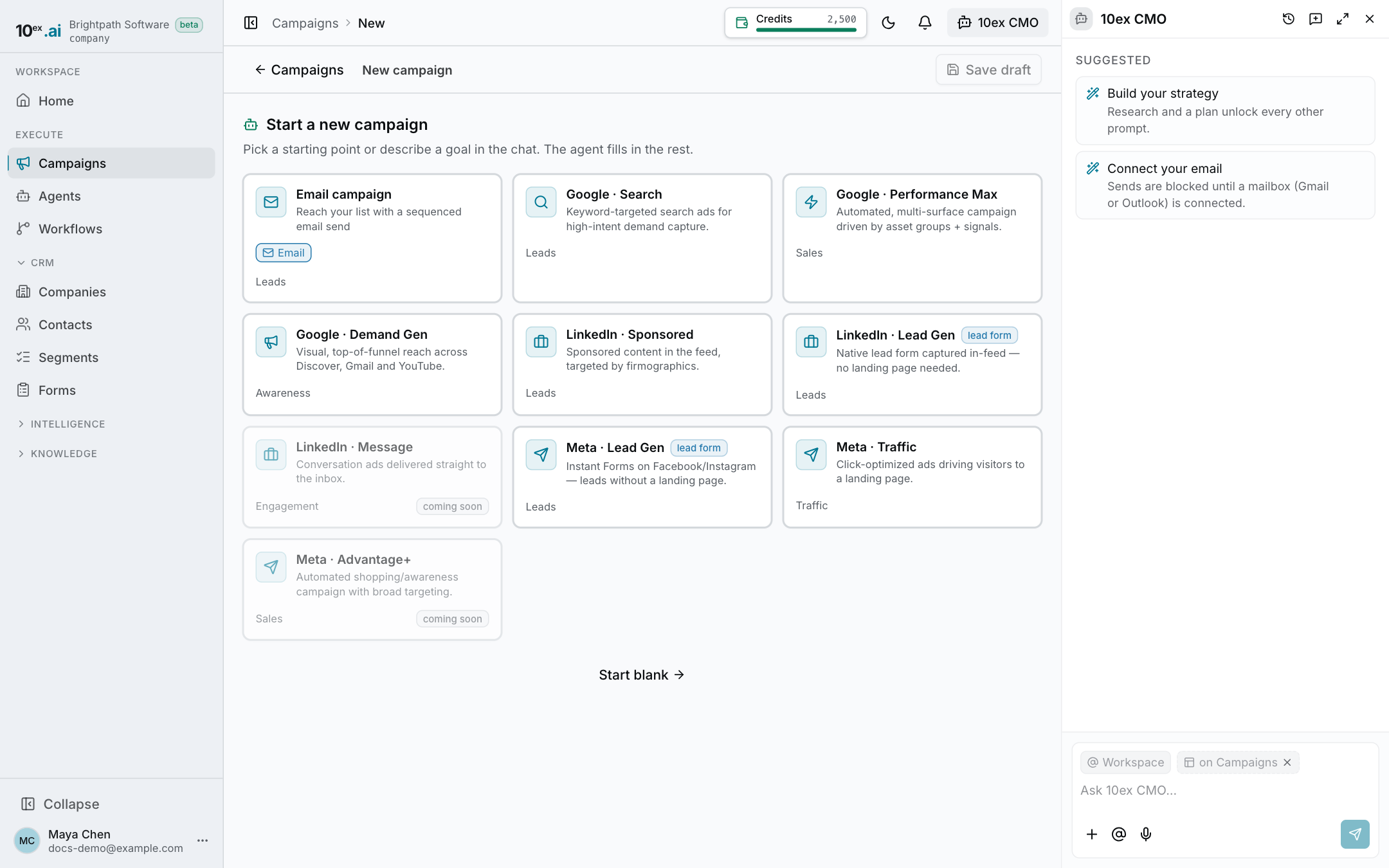
| Platform | Types you can start from |
|---|---|
| Search, Performance Max, Demand Gen | |
| Meta | Lead Gen, Traffic, Advantage+ |
| Sponsored, Lead Gen, Message |
Go to Campaigns → New campaign and pick a type card, or ask the CMO, for example “build a Google Search campaign for our pricing page”. Each campaign runs on one platform.
The four steps
The campaign canvas has four steps down the left side. The CMO chat opens beside it and moves through the steps with you. You can click any step you’ve reached to go back to it.
1. Plan: goal, channels, audience, budget
- Goal: pick the Objective (what success looks like).
- Audience: who sees the ads.
- Target locations: search and pick countries, regions or cities.
- Meta: interests and behaviors, with Exclude interests and Exclude behaviors & demographics.
- LinkedIn: job titles, industries and seniority, each with an exclude option.
- From a segment: turn one of your segments into a Meta Lookalike, a Google Customer Match list or a LinkedIn Matched Audience. Google only allows Customer Match once it has approved your account for it.
- Budget: the total spend and how it splits. Google campaigns use a daily budget. Budgets show in your ad account’s currency.
- Schedule: start date and an optional end date.
Platform-specific options appear where they apply, for example Meta Placements and bid cap, Google Search keywords, extra ad groups and ad extensions (sitelinks, callouts and structured snippets), and the LinkedIn carousel format.
2. Content: draft and refine
The CMO writes the ad copy and makes the images from your brand, your knowledge base and the plan. Everything is editable. On any text, use AI to rewrite it with an instruction. Ask the CMO in chat for new variants.
Lead Gen campaigns need a lead form. See Forms for how platform lead forms and their leads come into 10ex.
3. Connect: link accounts to launch
Shows each platform this campaign launches on and whether its ad account is connected. If it isn’t, Connect takes you to Settings → Integrations. You can keep drafting while it’s disconnected. Only launch needs it.
4. Launch: validate and go live
The Launch step runs pre-flight checks and lists anything to fix: missing fields, missing content, account problems (billing, account status). Fix what’s flagged, click Save draft & re-check, and when it says “Everything checks out — ready to launch”, click Launch in the header.
Launch creates the campaign on the platform as live. It starts serving, and spending, once the platform’s own ad review approves it. There is no separate activation step.
After launch
Open the campaign. The Analytics tab shows spend, impressions, reach, clicks, leads or conversions, cost per click and cost per conversion. Click Sync ads on the Campaigns page to refresh the numbers from the platforms.
Change budget, schedule or targeting
Edit them on the campaign and save. 10ex pushes the change to the platform and tells you what happened:
- Pushed live: the platform took it.
- Waiting for approval: your company holds ad changes for approval. A manager approves it, then it goes live.
- Relaunch to apply creative: creative changes can’t be edited on a live ad. Add a new ad instead (see below).
- A budget the platform can’t take says why. For example, a campaign on a lifetime budget has to be changed in the platform’s own ads manager, and a budget below the platform’s minimum has to be raised.
Pause and activate ad sets and ads
On the campaign’s ad sets and ads, use Pause or Activate. Activating means it starts serving and spending once the platform approves it. Only managers and above can change whether an ad set or ad serves.
Add an ad set or an ad
On a launched Meta or Google Search campaign, use New ad set to add an ad set (Meta) or ad group (Google Search). On LinkedIn, which has no ad sets, use New ad. Everything you add is created paused. Nothing serves until you turn it on. Performance Max and Demand Gen don’t support adding ad groups this way.
Pause or resume the whole campaign
From the ⋯ menu on the Campaigns page, choose Pause or Resume.
Campaigns you already run
Sync ads on the Campaigns page imports the campaigns already running in your connected ad accounts. They appear in the list with their status, metrics and creatives, and you can edit them like campaigns you built in 10ex. The platform stays the source of truth for status. A change you make in the platform shows up at the next sync.