Companies
Companies (under CRM in the sidebar) lists every account in your workspace. Companies get added when you add contacts, import a CSV, run the Prospector agent, or when a known business visits your website.
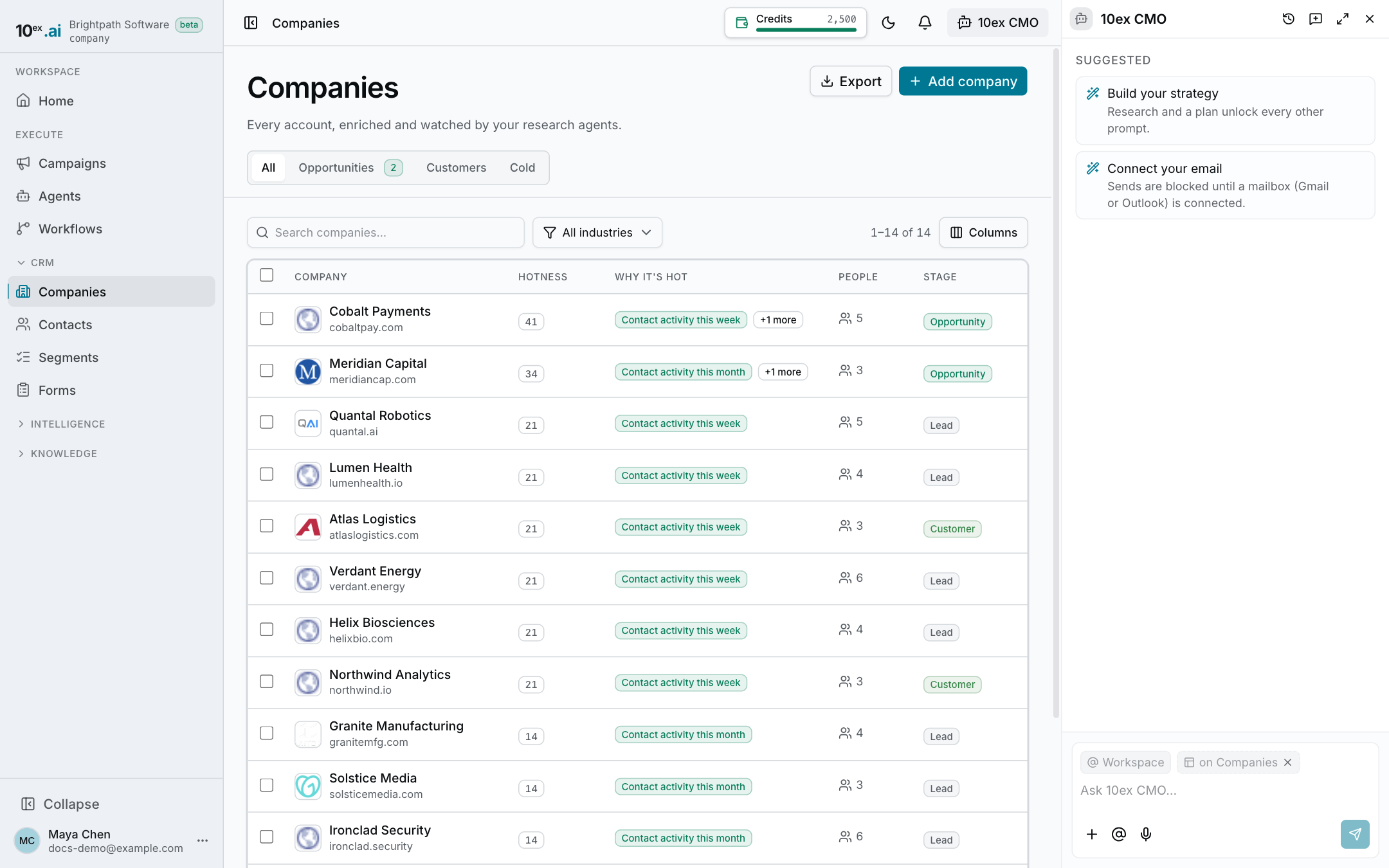
The list
The default columns are Hotness, Why it’s hot, People, and stage. Add industry, size, or owner with the Columns picker. Your column choice is saved in this browser.
The tabs filter by stage: All, Opportunities, Customers, and Cold.
Use the search box and the industry dropdown to narrow the list. Sort by company name or industry. The page, search, tab, and sort are all in the URL, so you can bookmark or share a filtered view.
Hotness
Hotness is a score from 0 to 99 that shows which accounts are worth your attention right now. A flame badge marks 80 and above. 60 to 79 is warm.
The score is built from facts you can check, and each fact appears as a chip in Why it’s hot:
- Website visits and how recent they are, e.g. “3 website visits, last yesterday”
- Where they came from, e.g. “Came via google.com”, and their top page
- Recent activity from the company’s contacts
- Stage, e.g. “Open opportunity” or “Qualified”
- How many contacts you have there
With no sort picked, each page of the list is ordered hottest first. See Intent signals and hot accounts for the full rules.
Add a company
- Click Add company.
- Enter the name, plus domain, industry, size, stage, and owner if you know them.
- Save.
Adding the domain matters. It’s how 10ex matches website visits and contacts to the company.
Export
Click Export to download every company that matches your current filters as a CSV, up to 5,000 rows. If there are more, you’ll see a warning. Narrow the filters and export again.
Export needs the export permission. If your role doesn’t have it, the button is greyed out.
The company page
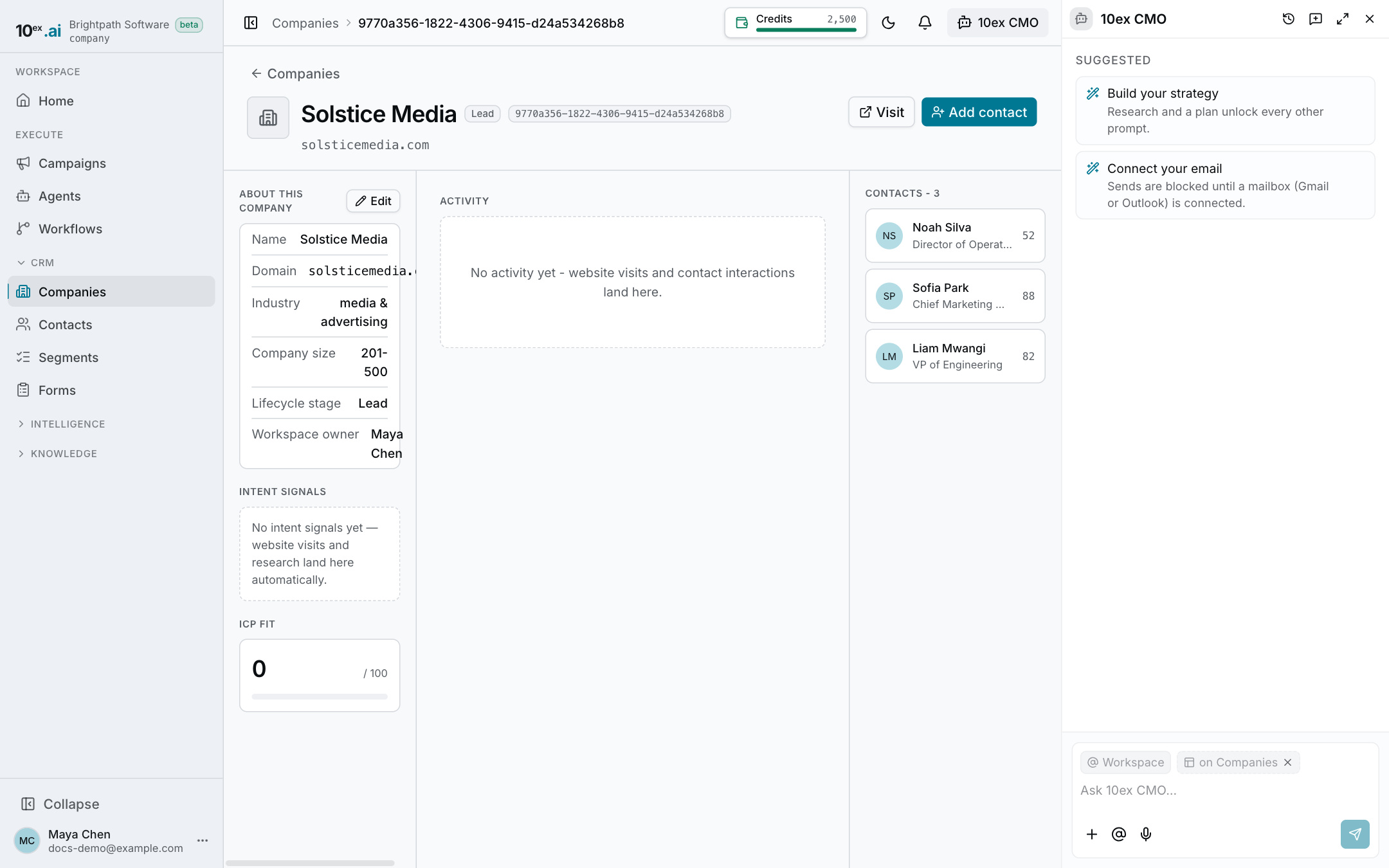
Click a row to open the company. The page has three columns.
Left
- About this company: domain, industry, company size, lifecycle stage, and owner. Click Edit to change them.
- ICP fit: how closely the company matches your ideal customer profile.
- Intent signals: what your agents and website tracking have recorded, such as visit and page counts, top pages, the last referrer, and campaign tags.
Center: Activity
Website visits (the pages viewed, where the visitor came from, and when) merged with activity from the company’s contacts: emails, form fills, notes, and calls. Newest first.
Right: Contacts
Everyone you have at this company. Click a name to open the contact.
Know when a new company visits
If website tracking is installed, the first visit from a new business creates the company and sends the workspace owner a “New company on your website” alert, in the app and by email. The company then shows up here with its visits in Intent signals and Activity.
Common questions
Why is a company’s hotness 0? Nothing recent has happened: no website visits, no contact activity, and an early stage. Hotness only counts what has been recorded.
Why can’t I delete a company? Deleting needs a manager or admin role.