Knowledge and memory
The CMO and agents don’t guess about your business. They read from four places. Each holds a different kind of fact.
| Place | What it holds | You manage it in |
|---|---|---|
| Company profile | Company name, what you sell, who you sell to, competitors, brand look and voice | Settings → Company and Settings → Brand |
| Knowledge library | Documents: decks, case studies, pricing sheets, notes | Knowledge in the sidebar |
| Memory | Short durable facts and preferences | Settings → Memory |
| Live data | Your contacts, companies, campaigns and reports | The CRM, Campaigns and Reports pages |
Knowledge library
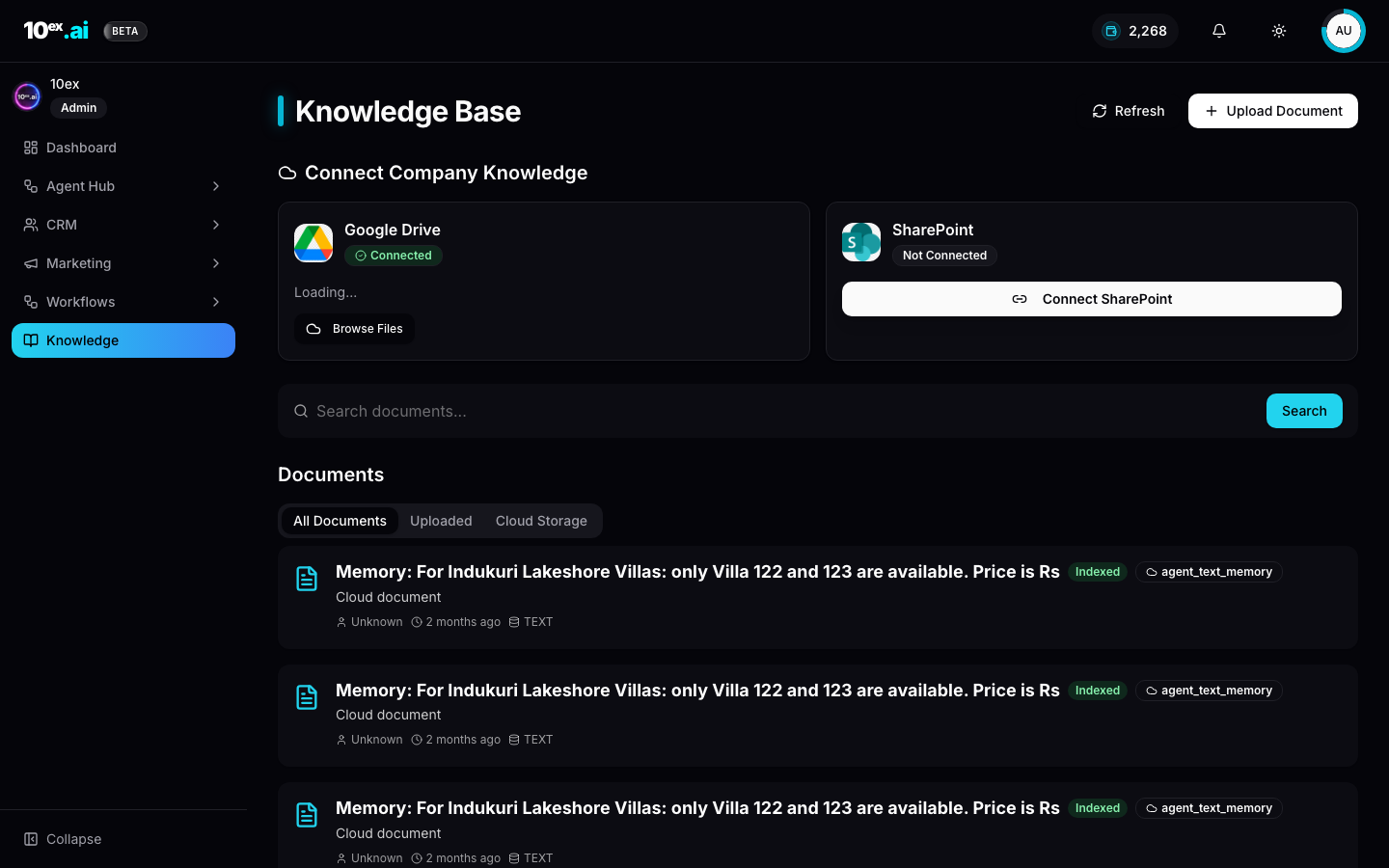
Knowledge is a folder-style library. You can upload files (up to 50 MB each), write a note, or sync a folder from Google Drive or SharePoint.
Every document is split into passages and indexed so it can be searched by meaning, not just by keyword. When an agent uses a document, the answer carries a citation: the document name and, for a PDF, the page.
Each document shows a status: Indexed, Indexing, Queued, Not searchable or Failed. A document that produced no passages never reads as Indexed, and only a failed one offers Retry.
You can attach documents to a single agent too, with an on/off switch per document, so a research agent reads the competitor files without every other agent seeing them.
How to use it: Knowledge.
Memory
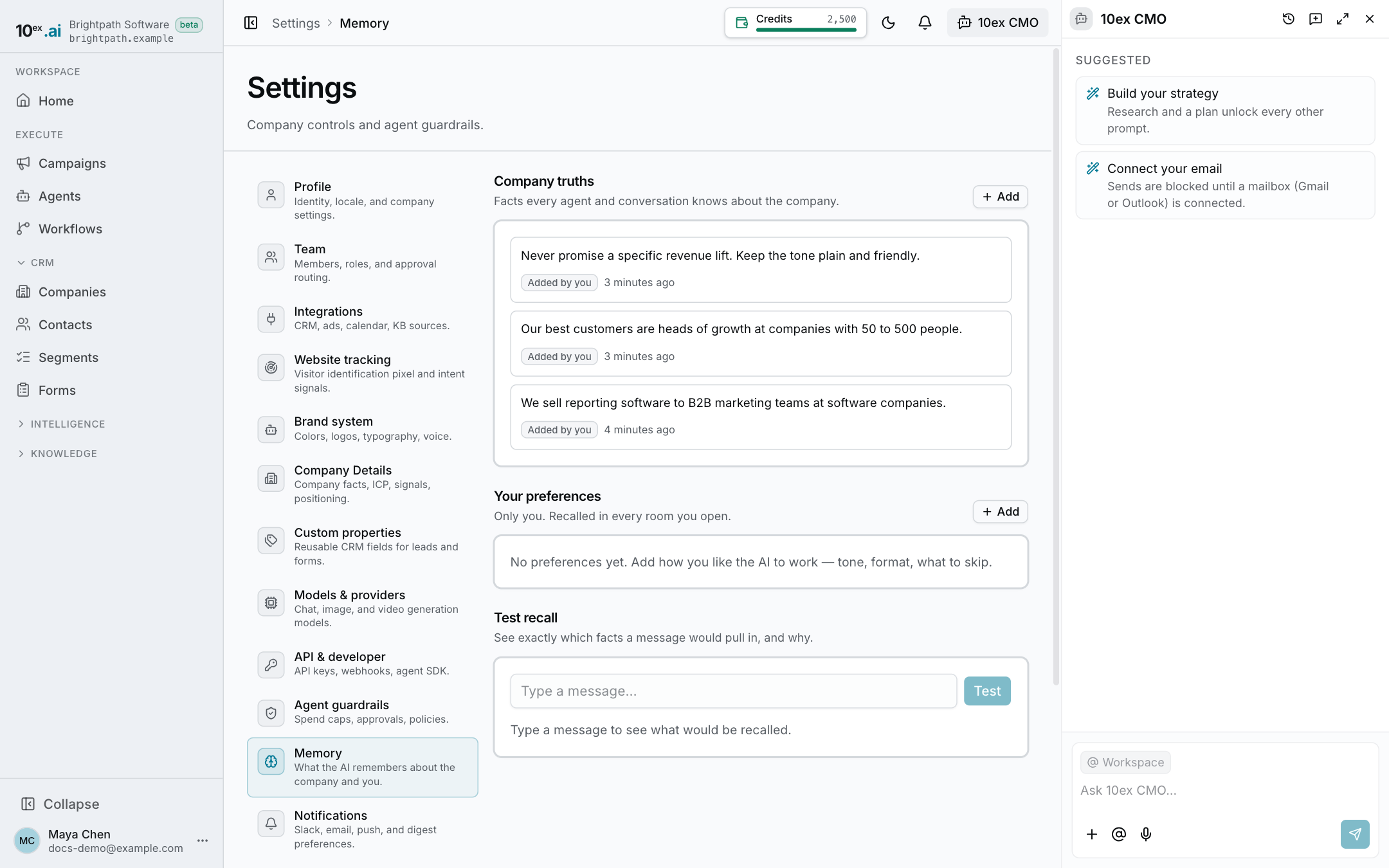
Memory is for short facts that should shape every reply: “we never discount”, “write in British English”, “our buyer is the VP of IT”.
There are three kinds:
- Company truths are shared by everyone in the workspace. Changing them needs the company-settings permission; everyone else can read them.
- Your preferences are only yours and always editable by you.
- Agent lessons belong to one agent and live on that agent’s Memory tab.
How a memory gets saved:
- You ask the CMO to remember something. It saves it and shows a small Remembered chip, so a memory is never saved silently.
- You thumbs-down a reply and say what went wrong. A corrective reason can become a memory.
- You edit an email before approving it, or reject an action with a reason. The agent keeps a lesson, labelled Learned from your edit or Learned from an approval.
You can add, edit and delete memories yourself. Deleting a lesson retracts it.
What gets recalled
A reply doesn’t load every memory. For each message, 10ex ranks the candidates and sends only the most relevant ones to the model. Test recall on the Memory page shows the ranking for any message you type: each candidate’s score and why it matched, with a divider where the cut is.
The profile and your data
The company profile comes from onboarding and from your edits in Settings. Live data is read on demand, so a number the CMO quotes comes from your CRM or reports at that moment, not from a stored copy.
When to use which
- A fact that fits in a sentence and should apply everywhere: Memory.
- A document with detail: Knowledge.
- How your brand looks and sounds: Brand settings.
- Step-by-step method an agent follows: a Skill.
For how the CMO uses all of this in a reply, see The CMO.